
Opis
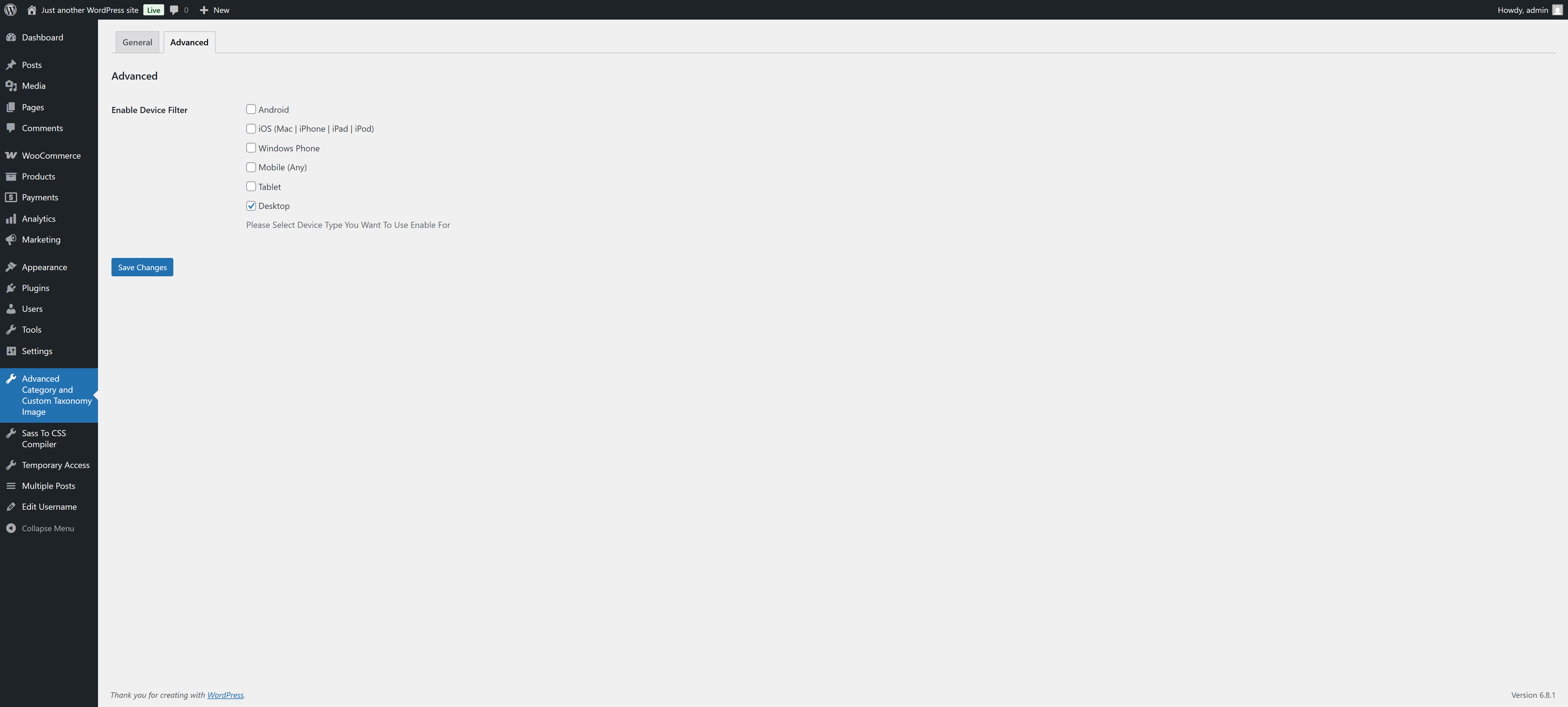
Now its easier to include category / custom taxonomy image with this plugin for different platforms. No need to overload mobile bandwidth with high pixel image size. You can now select different image for different devices. Upload Different Image For Different Devices ex: Mobile, Tablet, Desktop, iOS, Android, Windows Phone.
Built-in Template Tag To Use Anywhere You Want In Your Theme : get_taxonomy_image( $term_id, $return_img_tag, $class );
Documentation
$taxonomy_img = get_taxonomy_image( int $term_id = get_queried_object()->term_id , boolean $return_img_tag = false , string $class = '' );

get taxonomy image url if $return_html = true then return  tag

Parameters :
$term_id
(int) (Required) Taxonomy ID of the term.

$return_img_tag
(boolean) (Optional) Formatted Image with  tag for the field during output.

$class
(string) (Optional) A space separated string of CSS classes to add to the  tag. classes ex: "your custom class list separated by space" but $return_img_tag should be true to add image class.

echo $taxonomy_img; // taxonomy image url
where $term_id is ‘category / term id’
Shortcode : use the shortcode anywhere to get taxonomy image. If you don’t provide “term_id” value then it will be current queried page taxonomy automatically.
echo do_shortcode( '[ad_tax_image term_id="" return_img_tag="true" class="your custom class list seperated by space"]' ); // keep term_id empty if you want to show current visited taxonomy archive image.
Features
- Option To Enable Custom Image Upload for different taxonomies
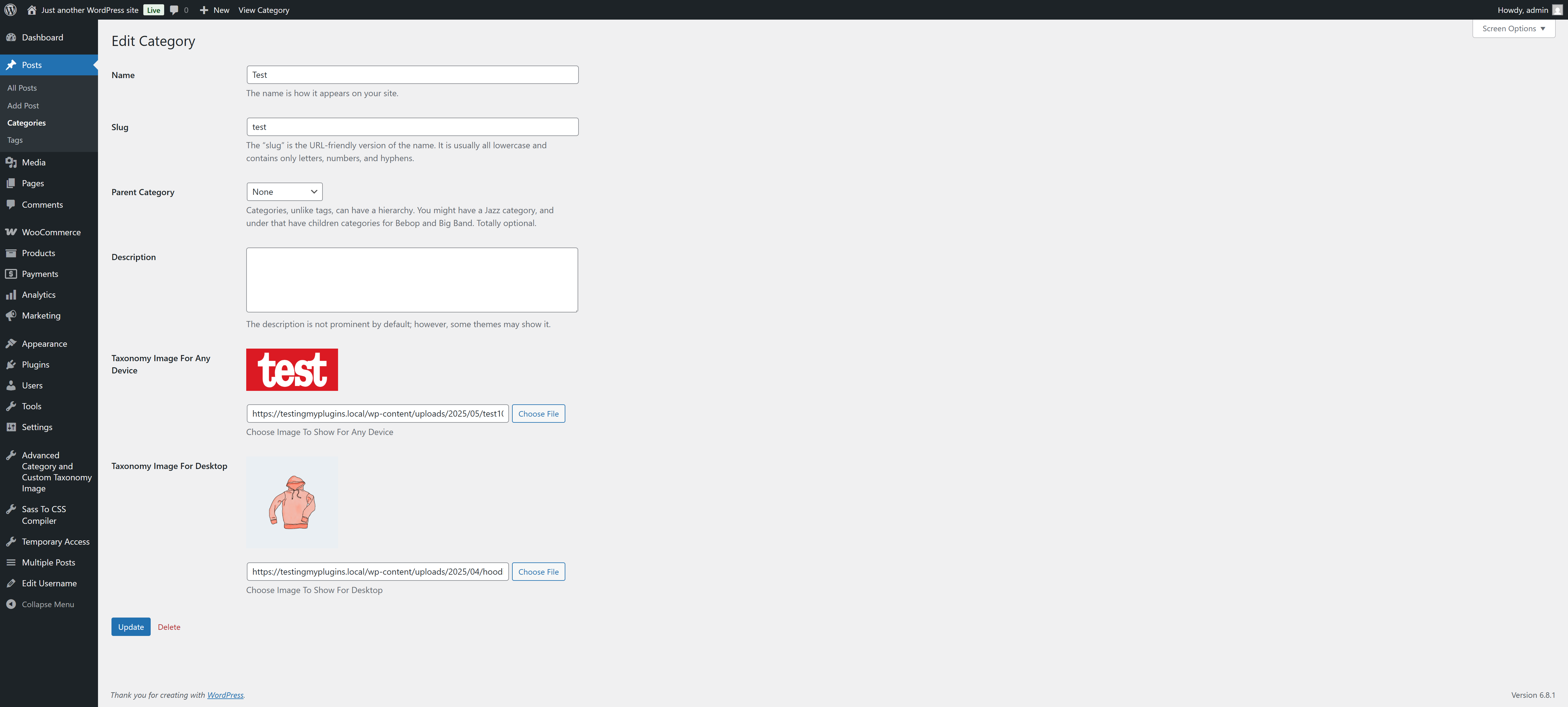
- Option To Enable Custom Image Upload for different devices
- Very simple to use & WP Default Media Uploaded to upload image
- Built-in Template Tag to use in your theme template
- Shortcode to use anywhere.
Snimke zaslona
Instalacija
- Go to WordPress plugin page
- Click Add New & Upload Plugin
- Drag / Click upload the plugin zip file
- The resulting installation screen will list the installation as successful or note any problems during the install. If successful, click Activate Plugin to activate it, or Return to Plugin Installer for further actions.
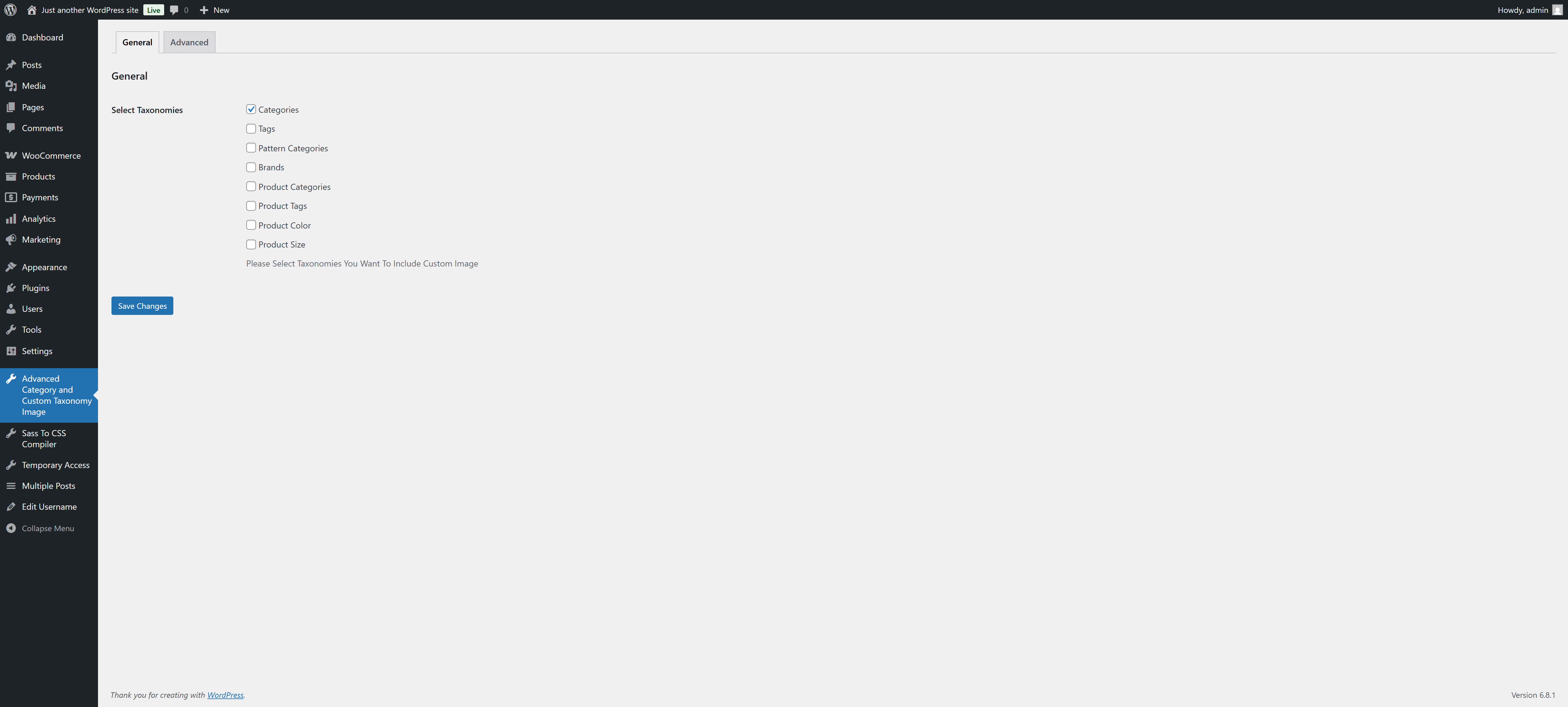
- Go to your Dashboard -> Settings -> Advanced Category & Taxonomy Image.
- There You Will Find Fields To Enable Taxonomy & Device Filters.
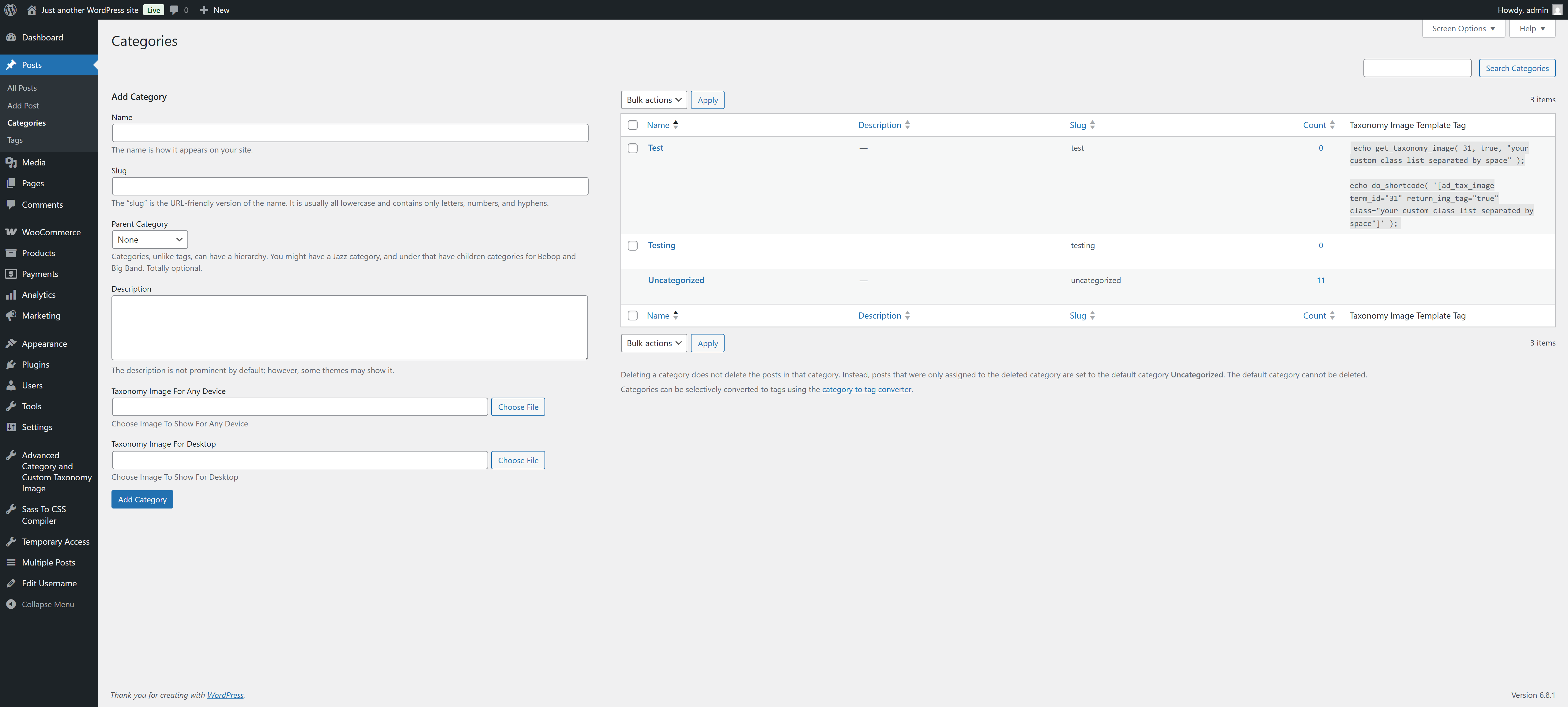
- After Enabling Go To Your Taxonomy Add/Edit Page To Upload Image
Pitanja i odgovori
- How can i use the image i uploaded?
Get Your Taxonomy tag_ID and use get_taxonomy_image( $term_id ) to get the image url and use it in your theme’s template area where you want to show it. (Note : In the taxonomy list there you will find already created template tag to use see screenshot 3)
Recenzije


Suradnici i Programeri
“Advanced Category and Custom Taxonomy Image” je softver otvorenog koda. Sljedeće osobe su doprinijele ovom dodatku.
Suradnici
Prevedite “Advanced Category and Custom Taxonomy Image” na svoj jezik.
Zainteresirani ste za razvoj?
Pregledajte kôd, pogledajte SVN spremišteili se pretplatite na dnevnik razvoja od RSS.
Dnevnik promjena
2.1.1
- Compatibility checkup for latest wp version 7.1
2.1.0
- Compatibility checkup for latest wp version 7.0
2.0.9
- Added option to select message type when no image is found
2.0.8
- Compatibility checkup for latest wp version 6.9
2.0.7
- Fixed issue: Tax image was not updating for any device type.
- Enhancements: Now you can see selected image real time.
2.0.6
- Fixed issue: typo giving fatal error
2.0.5
- Fixed issue: when there are no device enabled it gives fatal error
2.0.4
- Minor changes in the code styling
2.0.3
- Compatibility checkup for latest wp version 6.8
2.0.2
- If for specific device image is not set yet, it will opt for default any device image now
2.0.1
- Fixed bug function get_taxonomy_image() was not found
2.0.0
- Major changes in codebase. Compatibility checkup for latest wp version 6.7
1.1.0
- Previous version had a bug where Image were not showing even after upload, it has been fixed. Everyone is recommended to update to the latest version. Any device filter is removed from Advanced tab and added as a global device.
1.1.0
- Major Update.. Please do take backup and update the plugin. Applied wp standard security sanitizations and escaping output to avoid any vulnerability. After update please go check your settings thoroughly and check if it works properly.
1.0.9
- Minor Update.. tested for latest wp compatibility..
1.0.8
- Added a new shortcode for dynamic usage in any template or dnd builder. Plus tested for latest wp compatibility..
1.0.7
- Minor Update.. tested for latest wp compatibility..
1.0.6
- Minor Update.. tested for latest wp compatibility.. added any device option and code style changed and beautified.
1.0.5
- Minor Update.. now tax template tag won’t be visible if no image is added
1.0.4
- Minor Update.. updated for translations ready..
1.0.3
- Minor Update.. tested for latest wp compatibility..
1.0.2
- Minor Update.. tested for latest wp compatibility..
1.0.1
- Minor Update.. tested for latest wp compatibility..
1.0.0
- Initial release.