Opis
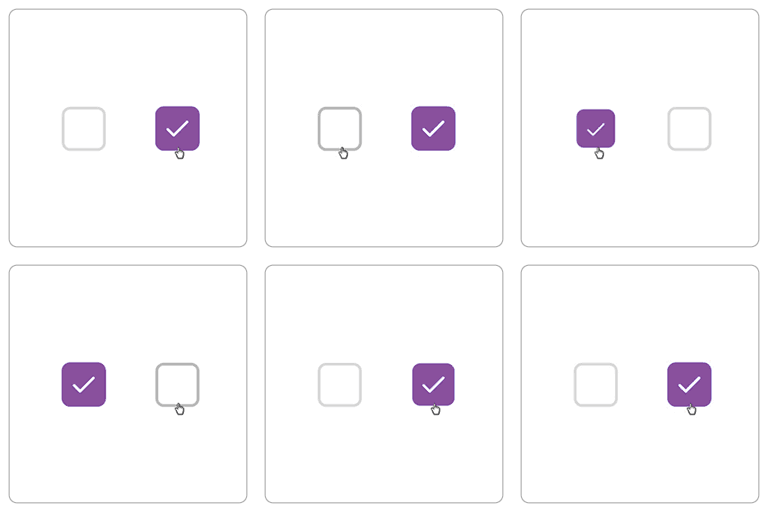
This plugin allows you to set the default state of the “Ship to a different address” checkbox on the WooCommerce checkout page.
– By default, the checkbox will be unchecked.
– To revert to WooCommerce default behavior, simply deactivate the plugin.
No settings page is required — activate and go.
Instalacija
-
From the WordPress Admin Panel:
- Go to Plugins Add New.
- Search for “Ship to a Different Address Checked/Unchecked for WooCommerce“.
- Click Install Now and then Activate.
-
Manually via Upload:
- Upload the
ship-to-a-different-address-checked-uncheckedfolder to/wp-content/plugins/. - Activate the plugin through the Plugins menu in WordPress.
- Upload the
Pitanja i odgovori
-
How do I use this plugin?
-
Activate the plugin, and the “Ship to a different address” checkbox will be unchecked by default on the WooCommerce checkout page. Deactivate the plugin to revert.
-
Does this plugin require any configuration?
-
No. The plugin works immediately after activation.
Recenzije


Suradnici i Programeri
“Ship to a Different Address Checked/Unchecked for WooCommerce” je softver otvorenog koda. Sljedeće osobe su doprinijele ovom dodatku.
Suradnici

Prevedite “Ship to a Different Address Checked/Unchecked for WooCommerce” na svoj jezik.
Zainteresirani ste za razvoj?
Pregledajte kôd, pogledajte SVN spremišteili se pretplatite na dnevnik razvoja od RSS.
Dnevnik promjena
1.2
- Tested and updated for compatibility with the latest WordPress and WooCommerce versions.
1.1
- Improved compatibility with WooCommerce 10.1.2 and PHP 8.3
- Minor code optimizations
1.0.0
- Initial release: default “Ship to a different address” checkbox unchecked