
Opis
Post Grid Plugin allows you to create grid, list, grid hover, filter and slider view. Post Grid Plugin is Easy to use as shortcode, Gutenberg Blocks or Elementor Addon.
👉 Plugin Demo | Elementor Demo | Gutenberg Demo | Documentation | Get Pro 👈
Post Grid – Shortcode, Gutenberg Blocks and Elementor Addons for Post Grid
Post Grid is the top popular plugin for creating the most elegant grids for any website with Shortcode or Post Grid Elementor Addons. It would be great for displaying blogs, menu items, and whatever else your website is meant to showcase. It is fully responsive and mobile friendly so that the grids you use it to create all look great on all devices.
With this plugin, you can create and display your posts in grid, list, and isotope views. The best part is that it exempts you from the need of any coding expertise. It has pre-made layouts that you can work with easily. The Post Grid makes it easy to generate grids from the admin end and insert them into any page or post.
🏆 Unlimited Shortcode Generator
Since the Post Grid plugin is equipped with a shortcode generator, you can convert any blocks into shortcodes easily. The plugin facilitates the generation of unlimited shortcodes and their application on any page or post. You can utilize the Unlimited Shortcode Generator in any page builder you like.
🏆 Post Grid Elementor Addon
Elementor Page Builder was the most popular page builder with over 7 million active users! With this plugin, you get to combine the best post grid plugin with the best page builder. The Elementor Addon only makes it an even smoother user experience.
🏆 Gutenberg Post Grid Blocks
Gutenberg post grid blocks has multiple blocks like grid, list, grid hover, grid filer and slider blocks to display posts is different layouts. There are total 4 Gutenberg blocks inclide Grid Layout it has 9 additional layout variations, List Layout it is 7 layout variations, grid hover layout has 16 layout variations and slider layout has 13 layout variations. All grid, list and Grid hover layouts can turn into grid filder layouts.
🏆 Gutenberg Block Section and Layout Import
REVIEW FROM WORDPRESS COMMUNITY EXPERT Mak
🏆 FEATURES
- Fully responsive and mobile friendly.
- Separate Elementor Addon
- 3 Elementor Widgets
- 9 Elementor Layouts
- 4 Gutenberg Blocks
- Generate Unlimited grid.
- Excerpt limit in word or characters
- User define excerpt ending(… )
- Title and button color control
- Image size & overlay control
- Display posts by any Taxonomy like category(s), tag(s), author(s), keyword(s)
- Order by Id, Title, Created date, Modified date and Menu order.
- Display image size (thumbnail, medium, large, full)
- Offset Field, to skip post from first.
- Fields Selection.
- Meta Icon Control.
- Meta Separation Control.
- ShortCode Title Control.
- Section Color Control.
- Primary and Button Color control.
- Enable/Disable Pagination.
- Feature image Enable/Disable option
- Layout preview & Live Preview in Elementor Widget
🏆 5 Easy Steps to Use Shortcode in the Post Grid Plugin:
🏆 Step 1:
👉 Query Builder
The Post Grid has a query builder to facilitate the use of the shortcode generator to use with the Elementor addons. It lets you start by choosing whichever type of post you want. You then get to choose precisely what items you want to display and the ones that you would rather not show. You have all the common filters to work with as you use the shortcode generator.
👉 Common Filters
One of these is the Include Only filter, which implies that you can decide the specific post or page ID that you want to include in your query. You then have Exclude which allows you to put in a specific page or post ID that you want to exclude in your query. The Limit filter lets you set the precise number of items that you want to display. If you want to filter and exclude a number of items based on your query, you can then use the Offset filter.
👉 Advanced Filters
It is important to note that the Advance Filter is dynamic and will work smoothly with however you want to filter your post. Taxonomy is a filter that enables you to view and set your taxonomy preferences. Category lets you choose the particular categories according to the terms that you associate with them. Here, you check the categories that you want to showcase, just like you do with other terms, such as tags.
👉 Ordering
With Operation, you get to set a relation to the items you display with different operations. The Order Settings filter allows you to set the order of the items you display by various criteria, such as ordering them by title, creation date, modification data etc. With Order, you get to choose whether the items you showcase appear in ascending or descending order.
👉 Author & Keyword Filter
The Author filter lets you showcase a particular author(s). You can choose to skip this filter altogether. The Post Grid plugin has the Status filter with which you can choose the status that you want your items displayed in. Another filter is the Search Keyword. Here you get to set a special keyword that items must have to appear. You can leave this one blank as well.
👉 Filter by Date Range
The Date Range filter is only available in the premium version. It allows you to set two specific dates, which will be the start and end date between which data will be filtered.
👉 Sticky Post [Pro]
Another filter that you can expect to see is the Show Sticky Post at the Top. You can enable it to allow you to showcase sticky posts at the top of the entire listing.
🏆 Step 2:
👉 Layout Settings
When you’re through with the Query Builder, you move on to the layout settings.
👉 Layout Selection
You can start with the Layout Type setting. Begin by selecting the layout type that you want. You have options that include Grid, Grid Hover, Isotope, List, Slider, and WooCommerce or Easy Digital Downloads. Depending on the layout type that you selected, the layouts will load and you can choose the particular layout that you prefer.
👉 Grid Filter [Pro]
-
The Ajax Grid Filter is only available in The Post Grid PRO. You can choose to turn all regular grids into grid filter layouts. When you want to create a filterable grid, order, short order, and search filter, all you have to do is check the “Taxonomy Filter” box.
-
The Taxonomy Filter setting is where you set the taxonomy of the categories or tags. When you get to the Taxonomy Filter Type setting, set the filter type to Dropdown or Button. The Show Post Count setting lets you select the option if you want to display the post count in the filter button.
At the Column setting, you select the number of columns that you want to showcase in the desktop, tab, and mobile displays.
👉 Pagination Type
If you want to enable pagination, just check the Pagination option. Choose the number of paginations that you want to showcase per page at the Display Per Page setting. You can choose the Pagination Type you want to have, with options, such as normal number pagination, AJAX Load on Scroll, AJAX Load More, and AJAX Number Pagination. However, all the AJAX Paginations are only available in the Post Grid PRO.
👉 Detail Page Link Type
If you want to enable the display of links that take you to the detail pages, enable the Link to Detail Page setting. The Detail Page Link Type feature allows you to set the detail page link as a normal link or as a popup. With Link Target setting, you get to set whether you want the link to open in the same window or in a new one.
👉 Margin Control [Pro]
On the other hand, the Margin Post Grid PRO setting lets you choose to work with no margin or go with the Bootstrap Default 30 PX.
👉 Grid Style Control [Pro]
You get to set your Grid Style to masonry or even, only if you have Post Grid PRO. With Post Grid PRO, you get the Content will be Visible for setting. It enables you to set your content to be viewed by distinct groups, including the public or registered user group.
🏆 Step 3:
👉 Settings
There are different settings that you can manage from the settings tab to affect the display of items on your pages and posts.
👉 Shortcode Heading:
You can start with managing some Widget and Shortcode Heading settings. With the Tag setting, you get to set the heading tags, with designations from H1 to H6. There are 3 predefined Styles from which you can choose, including style 1, style 2, and style 3. You can then set the alignment to left, right, or center. The plugin also lets you add a link to your titles.
👉 Category Settings:
You then have the Category settings where you get to choose the position, style, and icon of the category. With the Post Grid PRO, you can set the position where you want to have the category with options such as hover image, left, top, center, and bottom. The plugin comes with 3 predefined styles, including style 1, style 2, and style 3. You can select the one you want easily. You can enable the icon option if you want to display the category icon or disable to hide the icon.
👉 Post title Settings:
The plugin has Title setting management too. You can set the Title Position if you have the Post Grid PRO and some chosen layouts do support the feature. Next, you can select the Title Tag you want to place on your different titles from H1 to H2. The Title Limit setting lets you set a limit to the number of words or character on your titles. With the Title Limit Type setting, you get to choose what you want the limit to be on, between words and characters.
👉 Image Settings:
With the Image settings, you can manage the different image configurations. With the Hide Featured Image setting, you get to choose whether to showcase or hide the featured image. You can then set the size of the featured image with the Featured Image Size. If you have the Post Grid PRO, you can set the image Type setting whether you want to showcase a normal four-sized image or one in a circle.
You then set the Hover Animation to zoom in or zoom out upon hovering. The Post Grid PRO lets you set the Border Radius of the image. Since some layouts require extra image size, you can set the Featured Image Size from here.
👉 Excerpt Settings:
The next group of settings you need to configure are the Excerpt. The Excerpt Limit setting is for the limit, while the Excerpt Type lets you choose whether you want characters, words, or full content. At the Excerpt More Text setting, You set the “more” excerpt to the actual word or an ellipsis (…).
👉 Read More Button Settings:
Finally, you can manage the Text, Alignment, and Border Radius of the “Read More” button. The Alignment setting lets you position this button to the left, right, or center. On the other hand, the Text and Border Radius settings allow you to set the text content of the button and its border radius.
🏆 Step 4:
👉 Field Selection
Set the fields that you want to display and check those fields in your shortcode display. These fields include tags, categories, author, date of the post, read more, excerpt, comment count, social share, and title, widget heading, and rating for WooCommerce.
🏆 Step 5:
👉 Style
Here, you get to set various style settings so you can get the best out of the Post Grid and Elementor addons.
👉 Parent Class and Primary Color:
At the Parent Class tab, you set a CSS class for the shortcodes. This will insert the source code so that if need arises, you can simply write custom CSS using this class. Next, you can set the Primary Color of your layout. You can then set a Gutter if you have the Post Grid PRO and upon application, it will reflect in the grid Padding.
👉 Overlay Style:
You then decide and choose which layout will have an Overlay Color. At the Overlay Opacity tab, you can now set the overlay color opacity. Next, you can set the Overlay Top Padding, to set the top padding of the content for its hover layout style.
👉 Button Style:
From the Button Colors tab, you get to set the color, button text, hover background and hover text color. This setting will apply for the carousel buttons, read more, and the pagination buttons. With the Widget or Shortcode Heading, you’ll get to set the padding, margin, border, size, border color, text color, and the background color.
👉 Full Section Style:
The Full Area or Section tab enables you to set your style to full area or section background, padding or margin. If you have the Post Grid PRO, the Content Wrap tab helps you set the background color, border radius, border width, border color, box-shadow color, content padding, and box padding from here. Also, with the premium version of Post Grid, you set the text color, background color, font size, padding, margin, and border-radius from the Category tab.
👉 Title, Excerpt & Meta Style:
You can manage the title color, font size, alignment and weight from the Title tab. The Title Hover tab is ideal for setting the title hover color, font size, weight and alignment. You can set the excerpt color, font size, alignment and weight at the Excerpt tab. Finally, the Meta tab enables you to set the meta color, font size, weight and alignment.
🏆 PRO FEATURES
- Fully responsive and mobile friendly.
- 62 Different Layouts
- 12 New Layouts
- 4 Elementor Widgets
- 45 Elementor Layouts
- 4 Gutenberg Blocks
- 45+ Gutenberg Blocks Layuot variation
- Elementor Archive Builder for Post
- Elementor Single Post layout Builder
- Necessary widgets for archive page and single post builder
- Advanced Custom Field support on single post
- Post View Count
- Even and Masonry Grid
- Custom Post Type Supported
- Display posts by any Taxonomy like category(s), tag(s), author(s), keyword(s), Status and Date Range
- Order …
Snimke zaslona

Gutenberg Layout 
Gutenberg Controls 
Layout 1 
Layout 1 
Layout 2 Single 
Isotope Layout 
Shortcode Post Source 
Shortcode Layout Settings 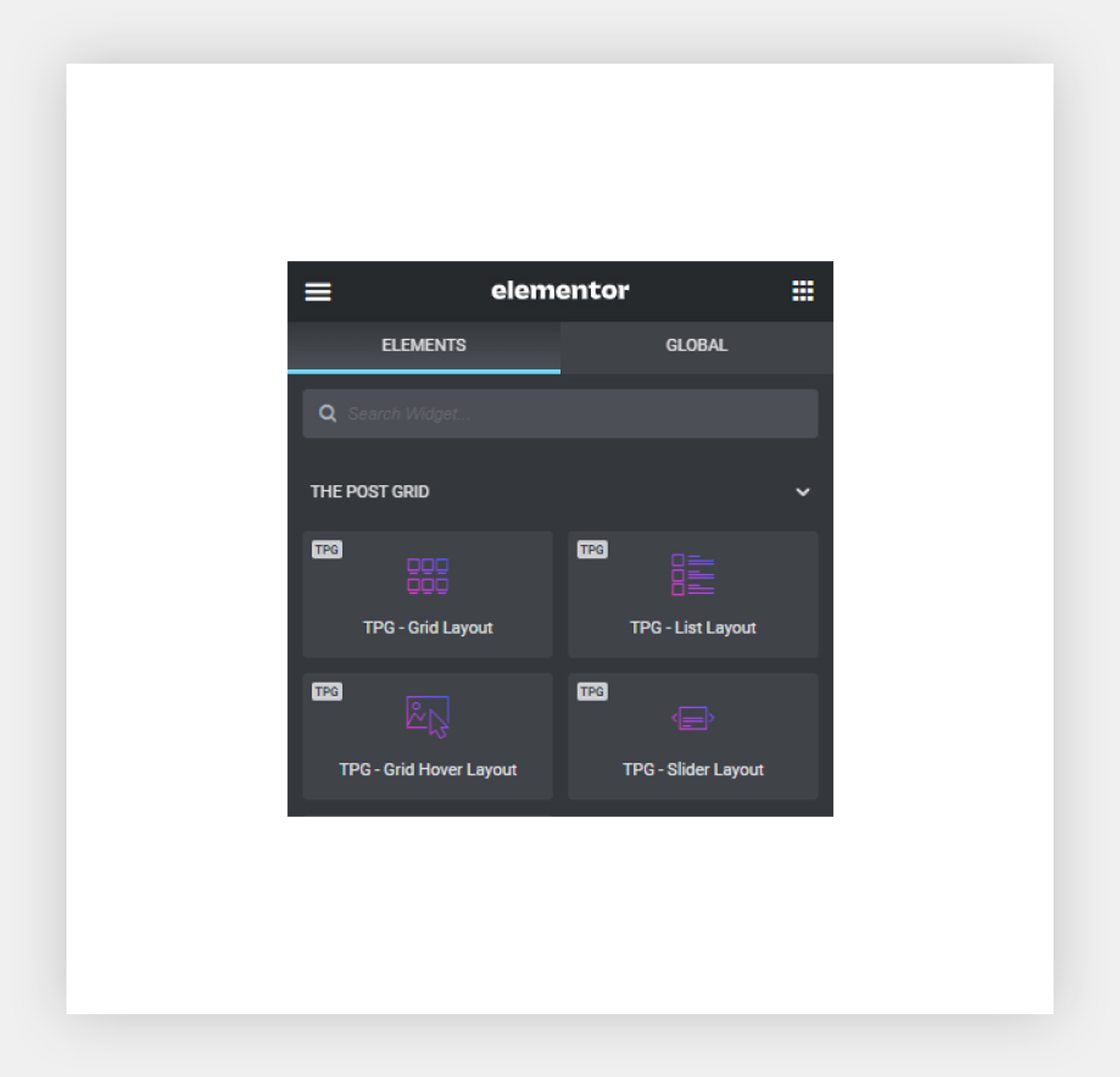
Shortcode Style 
Elementor Widget list 
Elementor post grid widget
Blokovi
Ovaj dodatak omogućava 4 bloka.
- The Post Grid
- Grid Layout
- Grid Hover Layout
- List Layout
Instalacija
👉 Using The WordPress Dashboard
- Navigate to the ‘Add New’ in the plugins dashboard
- Search for ‘The Post Grid’
- Click ‘Install Now’
- Activate the plugin on the Plugin dashboard
👉 Uploading in WordPress Dashboard
- Navigate to the ‘Add New’ in the plugins dashboard
- Navigate to the ‘Upload’ area
- Select
the-post-grid.zipfrom your computer - Click ‘Install Now’
- Activate the plugin in the Plugin dashboard
👉 Using FTP
- Download
the-post-grid.zip - Extract the
the-post-griddirectory to your computer - Upload the
the-post-griddirectory to the/wp-content/plugins/directory - Activate the plugin in the Plugin dashboard
ČPP
-
How to Use Post Grid
-
- Go to
The Post Grid > Add New Grid - Go to page or post editor click The post grid Shortcode button and select a shortcode from dropdown list and insert shortcode.
- Go to
-
Need Any Help?
-
- Please mail us at
support@radiustheme.com - We provide
15 hours live support
- Please mail us at
-
Is this Post Grid plugin can use any page builder?
-
- Yes you can use with any page builder simple just generate shortcode then call the shortcode in page/post..
-
Can I use it with Elementor page builder?
-
- Yes can use with Elementor page Buildr. We have Elementor widget use the widget.
-
Can I make a news or blog site using the post grid plugin?
-
- Yes using elementor addon or shortode you can builder any news or bloc theme.
-
Is this plugin can use in archive page?
-
- Yes you can set shortcode for archive page also using post grid Elementor addon you can build own archive page?
-
Can I build single post?
-
- using Elementor addon you can build post single page using drag & drop.
-
Can I use this plugin only for Elementor Page builder?
-
- Yes, from settings you can enable or disable which way you wab to use the thene.
-
Can I control style?
-
- Yes you can style and control all from the post grid plugin.
Recenzije


Suradnici i Programeri
“The Post Grid – Shortcode, Gutenberg Blocks and Elementor Addon for Post Grid” je softver otvorenog koda. Sljedeće osobe su doprinijele ovom dodatku.
Suradnici
“The Post Grid – Shortcode, Gutenberg Blocks and Elementor Addon for Post Grid” je prijeveden na 2 dijalekta. Zahvala prevodiocima za njihov doprinos.
Zainteresirani ste za razvoj?
Pregledajte kôd, pogledajte SVN spremišteili se pretplatite na dnevnik razvoja od RSS.
Dnevnik promjena
7.6.1
- Fixed: Shortcode data not saved
7.6.0
- Fixed: Shortcode Layout images broken
- Fixed: Vulnerability issue fixed
- Updated: Security updated
7.5.0
- Added: ChatGPT integration
- Fixed: Security Updated
7.4.3
- Fixed: PHP 8.3 compatible
- Fixed: Notice Controller bug fixed
7.4.2
- Fixed: Block pagination not wrap properly
- Fixed: Add settings for change the pagination wrap
7.4.1
- Fixed: Block encountered error fixed
- Fixed: Orderby and order by for elementor not showing
7.4.0
- Fixed: Taxonomy order not working
- Fixed: Flaticon confilict issue fixed
- Optimize: Code optimize
- Update: Gutenberg controller updated
7.3.1
- Updated: Flaticon and Font-awesome icon updated
- Fixed: Gutenberg post block not working properly on single page
7.3.0
- Added: Gutenberg and Elementor controller added
- Modify: Post Query modify
- Fixed: Gutenberg Modal Manager bug fixed
- Fixed: Some Deprecated issue fixed
7.2.11
- Fixed: Custom post type filter for shortcode bug fixed
- Fixed: CPT taxonomy for shortcode not showing in post grid
- Fixed: CPT Default taxonomy for shortcode not working in front-end
7.2.10
- Fixed: Isotope show all button not showing
- Updated: Plugin options updated
7.2.9
- Fixed: Isotope loader bug fix
- Fixed: Default Gutenberg widget doesn’t show
7.2.8
- Updated: Security updated
7.2.7
- Updated: REDME File updated
- Updated: Post Filter search functionality updated
- Added: Some CSS added
7.2.6
- Updated: Security issues updated
- Updated: Documentation updated
7.2.5
- CSS modify
- All Gutenberg and Elementor sections redesign
- Gtuenberg taxonomy select controller bug fix
- Documentation updated
7.2.4
- Fixed: Undefined constant bug fixed
7.2.3
- Fixed: Category Block bug fixed
7.2.2
- Fixed: All Gutenberg and Elementor layout redesign
- Updated: All demo post changed
- Fixed: Some Responsive Issues fixed
- Updated: Documentation updated
7.2.1
- Fixed: Gutenberg import bug fixed
7.2.0
- Added: External post link (Read More) feature
- Updated: 4 Free Gutenberg layout redesign
- Updated: Documentation updated
- Fixed: Pagination icon fixed
- Fixed: Import bug fixed
7.1.0
- Fixed: Flaticon added
- Fixed: Style Load twice
- Updated: Documentation Updated
- Added: New section title block added
7.0.2
- Fixed: Slider layout post limit not working
- Fixed: Function is_category was called incorrectly
7.0.1
- Fixed: Undefined array key “isotope_default_filter” fixed
- Fixed: Category source for CPT issue in Elementor
- Added: Thumbnail Position, Opacity, Transition controller added in Elementor
7.0.0
- Added: Layout and Section import system added for Elementor
- Added: 4 Free layout and 9 Premade Sections added for Elementor
- Fixed: Ajax search unicode support
- Fixed: Some Elementor controller added for few layout
- Modified: Plugin url modified
- Modified: Some CSS midified
- Updated: Documentation updated
6.0.0
- Added: Layout and Section import system added for Gutenberg
- Added: 4 Free layout and 19 Premade Sections added for Gutenberg
- Added: Post title typography offset layouts added for gutenberg
- Added: Expired transient remove functionality added
- Deprecated: Post Grid Gutenberg widget
- Fixed: Select2 conflict with yoast
- Fixed: Block sidebar compatibility fixed
- Fixed: Post content by WPBakery not showing properly
5.0.5
- Add: Post id added in post row meta
- Updated: Notice security updated
5.0.4
- Fixed: Cyber week notice dismiss issue
5.0.3
- Added: All block list added in wordpress.org
5.0.2
- Improved: Some styles.
5.0.1
- Fixed: Parse error in the earlier PHP versions.
5.0.0
- Added: 3 Gutenberg Blocks (Grid Layout, List Layout, and Grid Hover Layout) with 9 layouts for Post Grid
- Fixed: Shortcode bug fixed
- Fixed: Elementor control bug fix
- Deprecated: The Post Grid Block (shortcode select) deprecated
4.2.3
- Remove: Remove Elementor deprecated widget
- Fixed: Calculate image srcset conflict
4.2.2
- Fixed: Post title hover color issue fix
- Added: Meta orderby for both (shortcode and elementor) added
- Added: Some CSS added
4.2.1
- Fixed: Some escaping issue
- Fixed: Elementor controller condition
- Fixed: Elementor controller css selector
4.2.0
- Fixed: Admin body class conflict fixed
- Fixed: Admin pagination fixed
- Updated: Proper sanitization and escaping for all files
- Updated: All vendor libraries
4.1.5
- Fixed: Admin preview pagination not showing
- Fixed: Datepicker style added
4.1.4
- Fixed: Meta icon font-weight issue fixed
- Added: Some css added
- Remove: Unnecessary CSS remove
4.1.3
- Fixed: Elementor Controller Rearranged
- Fixed: Meta Controller bug fixed
- Fixed: Shortcode update button conflict issue fixed
4.1.2
- Fixed: Front-end filter orderby bug fixed
- Fixed: Post type issue fixed
- Fixed: Some bug fixed
4.1.1
- Fixed: List Layout (1,2,3,4) extra padding remove
- Fixed: Resource Load Type bug fixed
- Fixed: Plugin dependency bug fix
4.1.0
- Added: Add New Settings
- Added: EDD Isotope layout added for shortcode
- Fixed: Responsive issue fixed for List layout – Elementor
- Fixed: Full Excerpt not showing in mobile
- Fixed: Field Selection default value conflict
- Fixed: List layout for Elementor responsive issue fixed
- Fixed: WooCommerce pagination fix
- Fixed: WooCommerce popup slider fix
- Fixed: Gutenberg block style fix
- Improved: Merge and minify all css and improved assets loading
4.0.5
- Fixed: Shortcode Taxonomy filter bug fixed
4.0.4
- Fixed: Showing full text instead of excerpt
- Fixed: Pagination CSS issue fixed
- Updated: Elementor widget register functionality updated
- Updated: Documentation Updated
4.0.3
- Fixed: HTML tags not allowed in Excerpt
4.0.2
- Fixed: Elementor block responsive issue fixed
4.0.1
- Fixed: Some style issue fixed
4.0.0
- Added: 3 Elementor Widgets with 9 layouts for The Post Grid
- Added: Archive Page Builder for Elementor (Pro)
3.1.5
- Fixed: Multiple ShortCode same page preloader issue
3.1.4
- Fixed: PHP error
3.1.3
- Fixed: Post Excerpt hide issue in mobile
- Fixed: Pagination Type selection issue
3.1.2
- Added: No post found message in Isotope
3.1.1
- Fixed Grid Column Issue in Small Device
- Fixed Radio Field Selection Issue
- Fixed ShortCode Heading Issue
3.1.0
- Updated UI
- Added 4 New Layout
- Added New Settings
- Added Offset Option
3.0.5
- Updated missing URL
3.0.4
- Fixed file readability issue
- Added option for script loading
- Draft post issue in preview
3.0.3
- Fixed feature image not existing notice issue
3.0.2
- Fixed pagination issue
- Fixed shortcode title tag issue
3.0.1
- Fixed isotope masonry issue
3.0.0
- Updated to FontAwesome 5
- Added responsive column settings in ShortCode
- Added meta color and typography settings
- Added excerpt color and typography settings
2.3.6.6
- Changed demo link
2.3.6.5
- Add New icon