
Opis
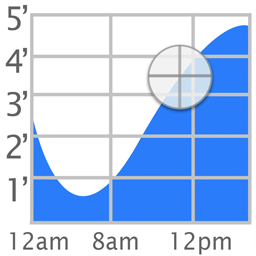
The popular iOS Tide Graph app is now available as a WordPress widget.
Snimke zaslona

Instalacija
To install Tide Graph,
- Upload
tide-graph.phpto the/wp-content/plugins/directory - Activate the plugin through the ‘Plugins’ menu in WordPress
- Go to Appearance->Widgets and enable the Tide Graph widget.
- To change the settings, go to Appearance->Customize->Widgets. Then select on the area where your widget (ex. Footer). Finally select Tide Graph Widget to see the options: Background, Scale, Location, Latitude, and Longitude.
Pitanja i odgovori
- How do I change the location
-
Click on the map button and select a new location. Then highlight the name of the station that appears above the graph.
- What colors are allowed
-
Colors can be white, black, transparent, or a 6 digit hex value preceeded by a # sign (ex. #FFFFFF)
Recenzije

23. srpnja 2018.
I use this plug-in on a local website (LBI) for use by people visiting the Bay and Ocean side for fishing. Although the plug-in has not been updated in two years, it is still useful and runs on WordPress 4.9.7 with no apparent issues.
Suradnici i Programeri
“Tide Graph” je softver otvorenog koda. Sljedeće osobe su doprinijele ovom dodatku.
Suradnici
Prevedite “Tide Graph” na svoj jezik.
Zainteresirani ste za razvoj?
Pregledajte kôd, pogledajte SVN spremišteili se pretplatite na dnevnik razvoja od RSS.
Dnevnik promjena
1.0
- Initial Release
1.1
- Fixed widths of input fields
1.4
- Added icons and banner
2.0
- Added support for php 7