
Opis
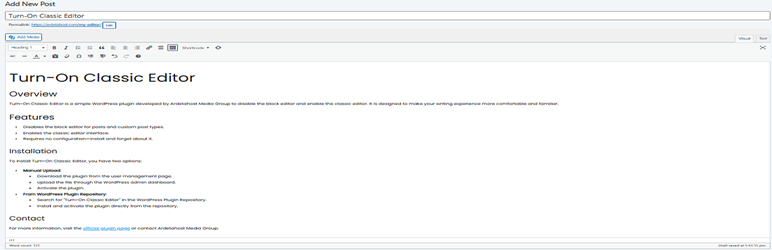
This plugin disables the block editor by default and enables the classic editor, enhancing your writing experience. It also supports Classic Widgets, eliminating the need for an additional plugin. You can still use the block editor for specific pages or posts if you wish. Just install it and forget about it.
Snimke zaslona


Instalacija
- Upload
turn-on-classic-editorto the/wp-content/plugins/directory. - Activate the plugin through the ‘Plugins’ menu in WordPress.
- When creating or editing Pages and Posts, you will see options to choose between Classic Editor and Gutenberg Editor directly from the editor screen.
- Enjoy writing with the Classic Editor or Gutenberg Editor as per your selection. (Screenshot 2)
Pitanja i odgovori
-
How do I disable the block editor?
-
Simply activate the plugin, and the block editor will be disabled. However, you can still choose to use the block editor for pages and posts if desired.
-
Do I still need the Classic Widgets plugin?
-
No, this plugin already includes Classic Widgets.
Recenzije
Nema recenzija za ovaj dodatak.
Suradnici i Programeri
“Turn-On Classic Editor” je softver otvorenog koda. Sljedeće osobe su doprinijele ovom dodatku.
Suradnici
Prevedite “Turn-On Classic Editor” na svoj jezik.
Zainteresirani ste za razvoj?
Pregledajte kôd, pogledajte SVN spremišteili se pretplatite na dnevnik razvoja od RSS.
Dnevnik promjena
1.1.2 – September 14, 2024
- Added editor options for Page and Post (screenshot 2)
- Fixed Unexpected output during activation (from 1.1.0)
- Fixed WordPress.Security.NonceVerification.Recommended (from 1.1.1)
1.0.3 – August 31, 2024
- Restored the missing screenshot from readme.txt
1.0.2 – August 31, 2024
- Initial public release.
- Added FAQ section: Added a FAQ section to answer common user questions.
- Added screenshots.
1.0.1 – August 29, 2024
- Submitted request to WordPress Plugin Directory
- Fixed the ‘Author URI’ field
- Fixed the ‘Plugin URI’ field
- Updated function names to comply with WordPress guidelines
1.0 – July 30, 2024
- Initial release