

Opis
This plugin allows you add screenshots to your media library to use throughout your wordpress site as you would with any other image. It creates a copy of the screenshot on your web server to reduce the overhead on your site.
Please check out our WP Links Page Pro at http://wplinkspage.com/
Usage
- When adding a new post, click ‘Add Media’.
- Then click the ’Screenshot’ tab to the left.
- Type in the web address to use for the screenshot, and click ‘Add Screenshot’.
- The screenshot will appear in the table below the ‘Add Screenshot’ form, click the screenshot in the table.
- From here you can set the screenshot as your featured image or insert it into the post as you would with any other image in your media library.
For more information please visit http://wplinkspage.com/
Snimke zaslona
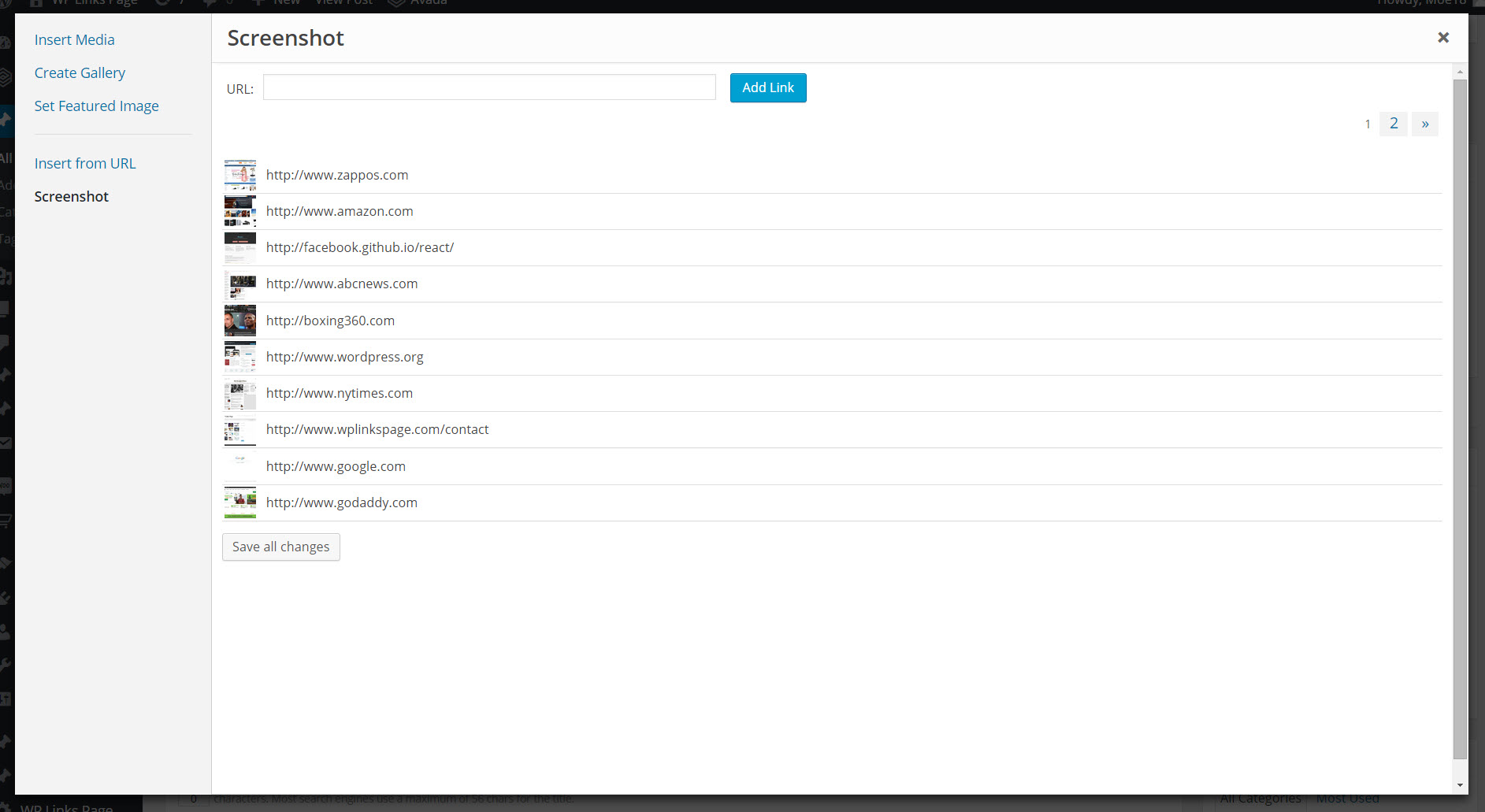
The Screenshot tab is added to the media library.

The image detail screen, used to add the screenshot to your post.
Instalacija
Installation Uploading via WordPress Dashboard
Navigate to the ‘Add New’ in the plugins dashboard
Navigate to the ‘Upload’ area
Select wp-featured-screenshot.zip from your computer
Click ‘Install Now’
Activate the plugin in the Plugin dashboard
Using FTP
Download wp-featured-screenshot.zip
Extract the wp-featured-screenshot.zip directory to your computer
Upload the wp-featured-screenshot.zip directory to the /wp-content/plugins/ directory
Activate the plugin in the Plugin dashboard
Pitanja i odgovori
- Installation Instructions
-
Installation
Uploading via WordPress DashboardNavigate to the ‘Add New’ in the plugins dashboard Navigate to the ‘Upload’ area Select wp-featured-screenshot.zip from your computer Click ‘Install Now’ Activate the plugin in the Plugin dashboardUsing FTP
Download wp-featured-screenshot.zip
Extract the wp-featured-screenshot.zip directory to your computer
Upload the wp-featured-screenshot.zip directory to the /wp-content/plugins/ directory
Activate the plugin in the Plugin dashboard
Recenzije


Suradnici i Programeri
“WP Featured Screenshot” je softver otvorenog koda. Sljedeće osobe su doprinijele ovom dodatku.
Suradnici
Prevedite “WP Featured Screenshot” na svoj jezik.
Zainteresirani ste za razvoj?
Pregledajte kôd, pogledajte SVN spremišteili se pretplatite na dnevnik razvoja od RSS.
Dnevnik promjena
Version 1.0
- Initial version of this plugin.