
Opis
iLeads SMS Gateway (by Exsile Digital) sends you an SMS the moment a form is submitted or an order changes status, and can send an automatic SMS to your customer.
Forms
- Elementor Pro, Contact Form 7, WPForms, Gravity Forms, Fluent Forms and JetFormBuilder.
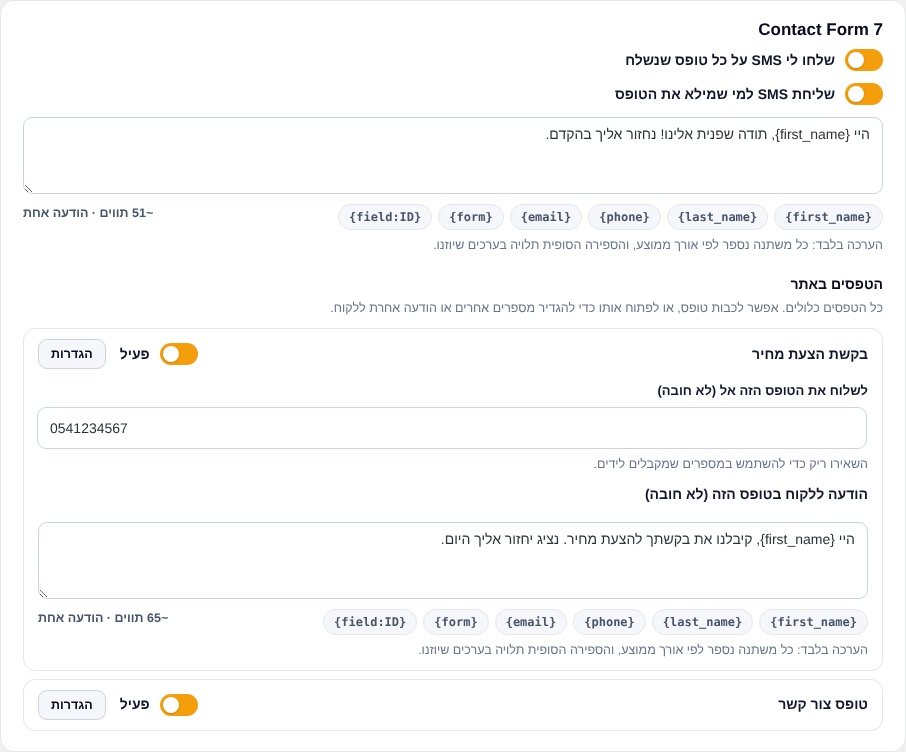
- All forms on the site are listed in one place. Turn a form off, or set different numbers or a different customer message per form.
- The customer’s mobile is detected automatically from the phone field.
- Messages are sent after the visitor already got the form response, so forms never wait and never fail because of SMS.
WooCommerce
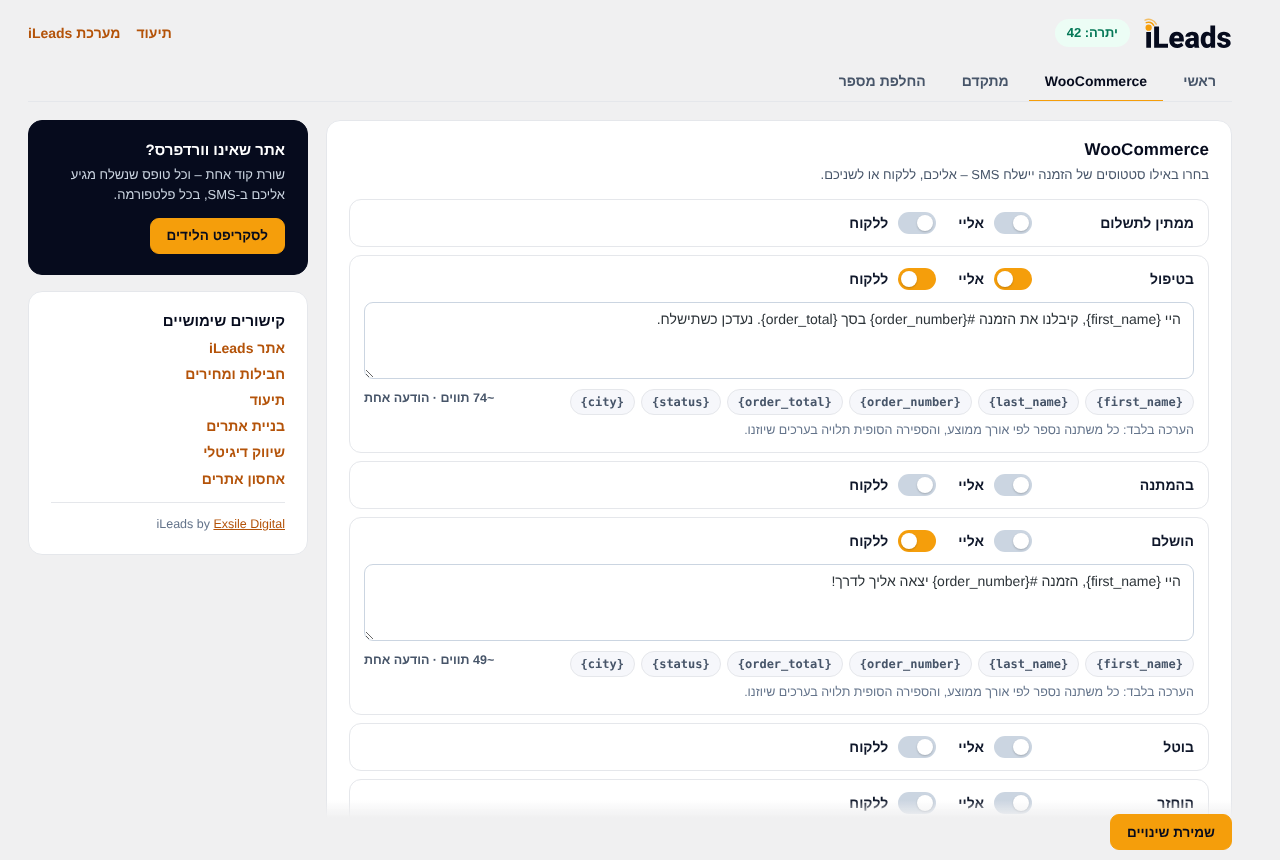
- SMS per order status – to you, to the customer, or both.
- Notes to customer can also be sent by SMS.
More
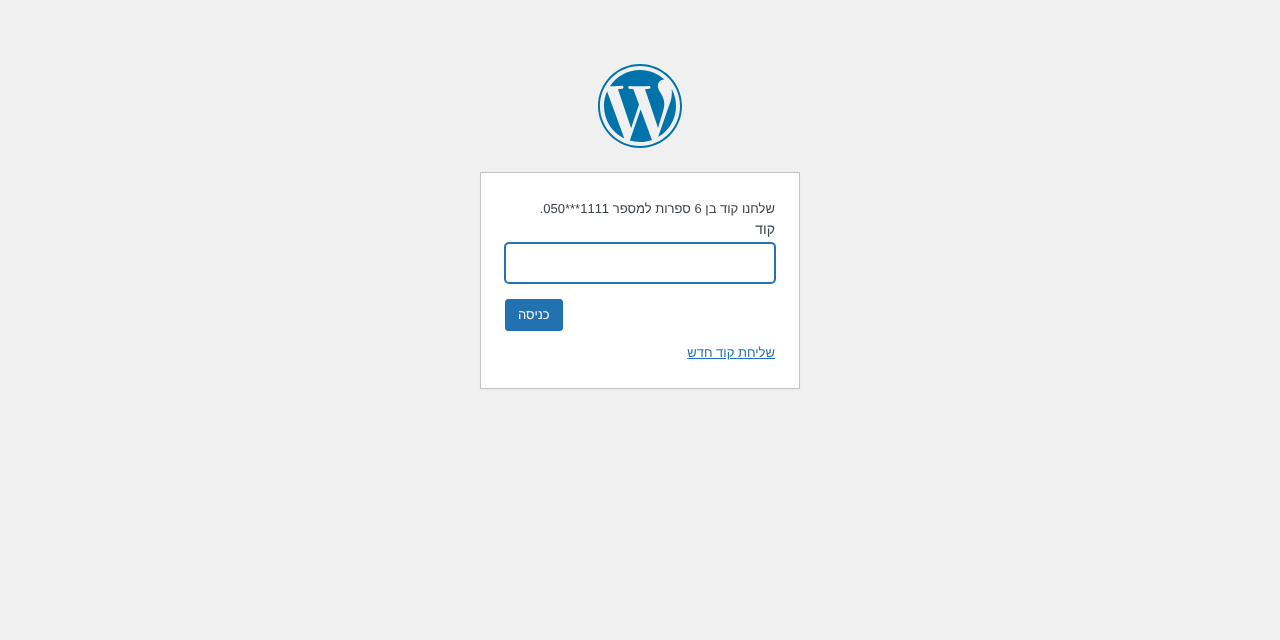
- SMS verification code at login for the roles you choose.
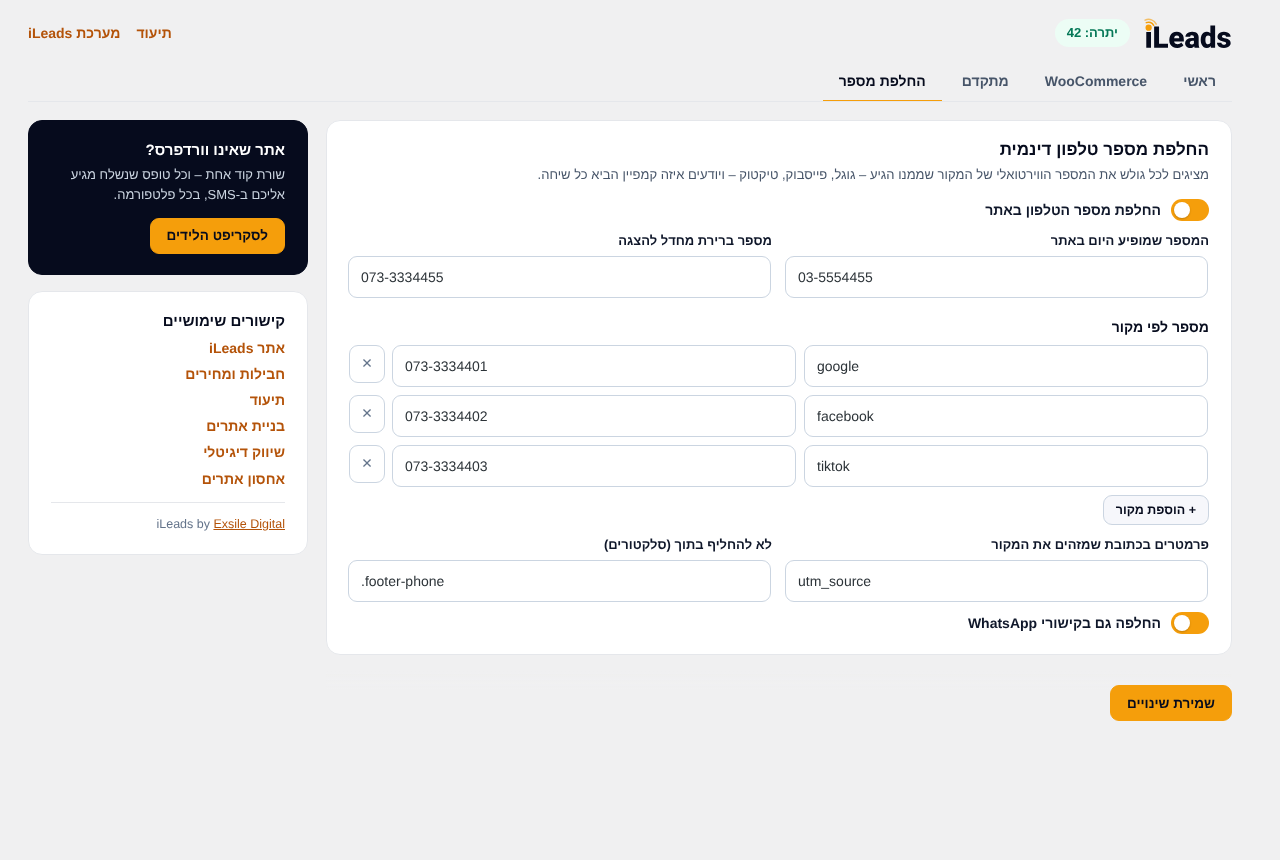
- Dynamic phone number replacement by traffic source (Google, Facebook, TikTok…), including WhatsApp links.
- Sender number verification from the settings screen.
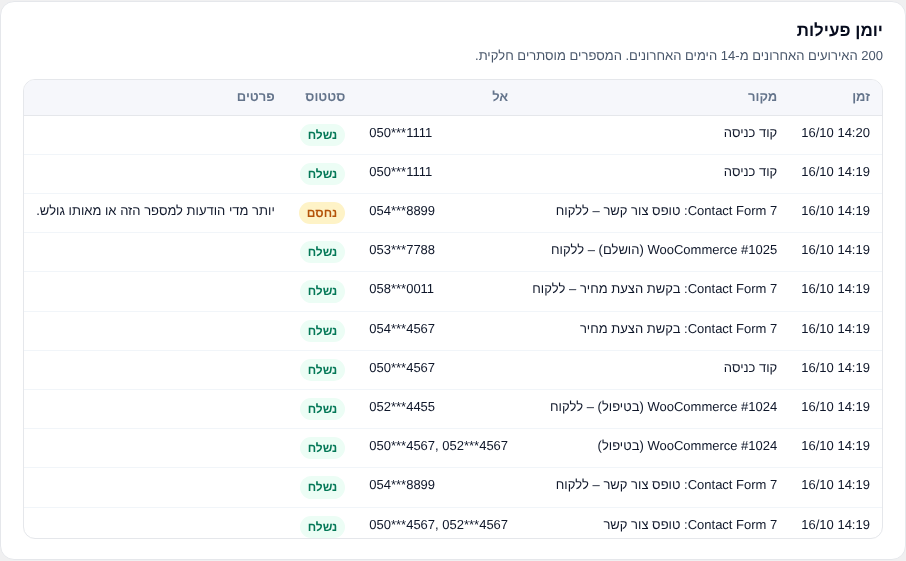
- Activity log of the last 200 events (14 days) in its own tab, with phone numbers partly hidden.
- Character counter for every message.
Works with Israeli mobile numbers only.
iLeads website · Plans and pricing · Documentation
External services
This plugin connects to the iLeads SMS service, operated by Exsile Digital, to send messages. It is used only after you enter your API key.
- SMS API –
https://api.ileads.co.il/api. Data sent: your API key (or an older API token) and username, the sender number, the recipient numbers and the message text; for login verification, the user’s mobile number and the code entered. Sent when a form is submitted, an order status changes, a login code is requested, or you use the “Check settings” / sender verification buttons. - Phone replacement script –
https://connect.ileads.co.il/v1/phone-replacer.js, loaded on your site’s pages only when phone replacement is turned on. It runs in the visitor’s browser and does not send data. A bundled copy is used if it cannot load.
Snimke zaslona
Instalacija
- Install the plugin from the WordPress plugin directory, or upload it to
wp-content/plugins/. - Activate it.
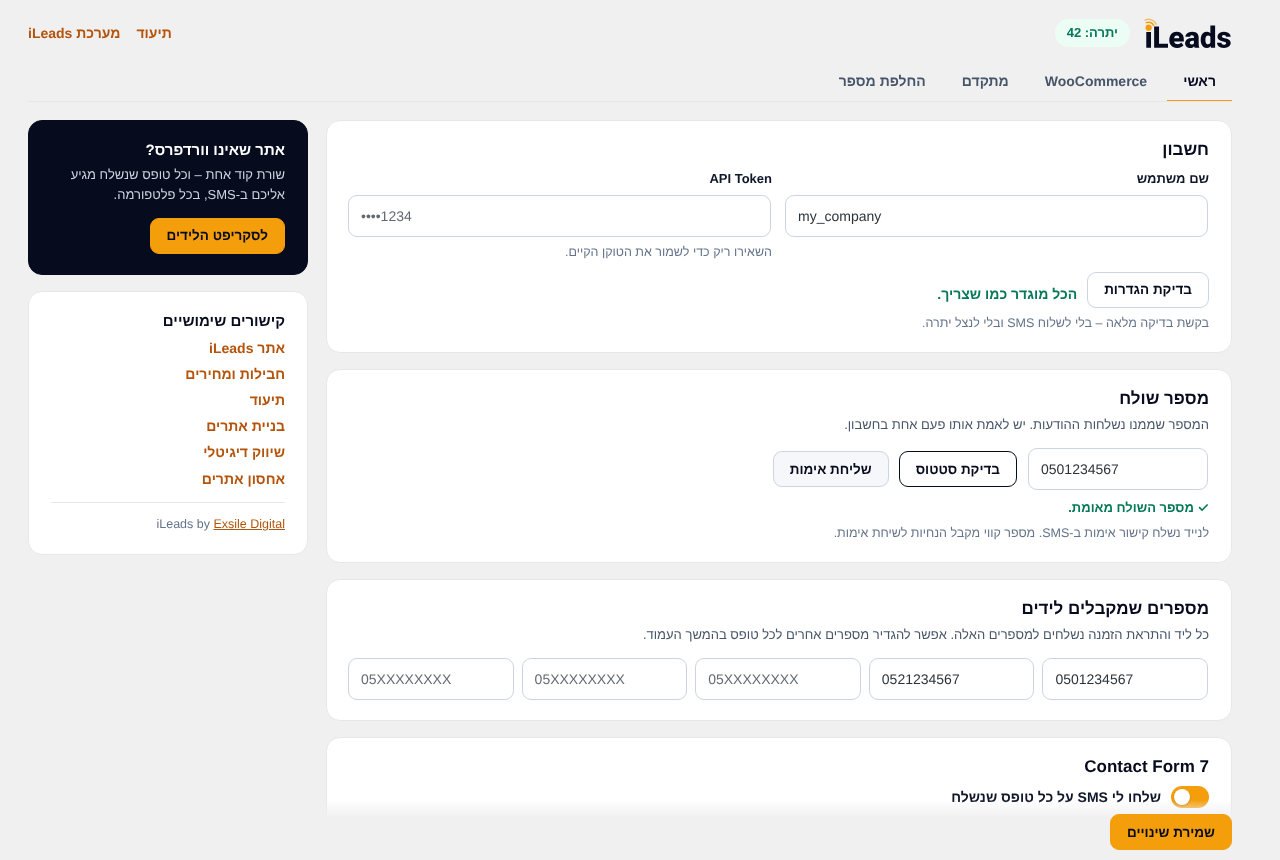
- Go to Settings iLeads SMS.
- Enter your iLeads username and paste your API key from the iLeads dashboard, then enter your sender number and the numbers that receive leads.
- In the Main tab, choose which forms to send. WooCommerce, login verification and phone replacement have their own tabs.
Pitanja i odgovori
-
Where do I get an API key?
-
In the iLeads dashboard (https://dash.ileads.co.il/), on the API page. See the documentation.
-
I have an older API token. Do I need to change anything?
-
It keeps working for now, together with your username. The plugin shows a reminder until you replace it with an API key from the dashboard.
-
I was locked out by the login verification.
-
Add
define( 'EXSILE_SMS_DISABLE_OTP', true );to wp-config.php, log in, fix the mobile number in your profile, then remove the line. An administrator can also unlock a user, or extend their time to verify, from the users table in the Advanced tab. -
Does deactivating the plugin delete my settings?
-
No. Data – including the API key and username – is deleted only when you delete the plugin and chose to delete it: either with “Delete all plugin data when the plugin is deleted” in the Advanced tab, or in the question shown when you deactivate the plugin.
Recenzije
Nema recenzija za ovaj dodatak.
Suradnici i Programeri
“iLeads SMS Gateway by Exsile” je softver otvorenog koda. Sljedeće osobe su doprinijele ovom dodatku.
Suradnici
“iLeads SMS Gateway by Exsile” je preveden na 1 jezik. Zahvala prevoditeljima za njihov doprinos.
Prevedite “iLeads SMS Gateway by Exsile” na svoj jezik.
Zainteresirani ste za razvoj?
Pregledajte kôd, pogledajte SVN spremišteili se pretplatite na dnevnik razvoja od RSS.
Dnevnik promjena
2.0.0 – 2026-10-16
- New: iLeads brand and a new settings screen with Main, WooCommerce, Advanced, Phone replacement and Activity log tabs.
- New: WPForms, Gravity Forms, Fluent Forms and JetFormBuilder support.
- New: all forms listed in one place, with per-form on/off, numbers and customer message.
- New: WooCommerce SMS per order status, and notes to customer by SMS.
- New: SMS verification code at login for selected roles, with a users table, a 3-day setup period, longer locks after repeated wrong codes, and the billing mobile for WooCommerce customers.
- New: dynamic phone number replacement.
- New: sender number verification, “Check settings” button, account alerts in wp-admin, and a balance warning with a link to buy a package.
- New: activity log and character counter.
- Change: connects with an iLeads username and API key (password login is no longer supported). An existing API token keeps working for now.
- Change: Pojo Forms support removed (the plugin is no longer maintained).
- Security: rate limiting for SMS sent to visitors.
- Improvement: messages are sent after the visitor gets the response, with a 10-second limit and no effect on forms or checkout.
1.2.0
- Fix: Issue Fixed
1.1.1 – 2026-01-11
- Fix: Issue Fixed
1.1.0 – 2023-08-18
- New: Dynamic Phone Number – send SMS to a specific number from a specific form.
- New: Ignore Fields – ignore specific fields in all forms.
1.0.1 – 2023-06-06
- Fix: Issue Fixed
1.0.0 – 2021-09-10
- Initial release