Skoči do sadržaja
WordPress.org

Hrvatski

  • Teme
  • Dodaci
  • Vijesti
  • Podrška
  • Info
  • Openverse
  • Hrvatski prijevod
  • Codex
  • Kontakt
  • Nabavite WordPress
Nabavite WordPress
WordPress.org

Plugin Directory

WP ShareX

  • Submit a plugin
  • My favorites
  • Prijavi se
  • Submit a plugin
  • My favorites
  • Prijavi se

Dodatak nije testiran s zadnje 3 glavna izdanja WordPressa. Možda ga se više ne održava ili pruža podršku i možda ima probleme sa kompatibilnošću s novijim inačicama WordPressa.

WP ShareX

Od joomdev
Preuzmi
  • Detalji
  • Recenzije
  • Instalacija
  • Razvoj
Podrška

Opis

WP ShareX is an advanced WordPress Social Share plugin enables you to add social share buttons on Posts and pages. You can assign buttons on Top of the Content, Bottom of the Content, Sidebar and on media.

Features of WP Social Share by JoomDev
1. 24 Social Network
2. You have the option to select either Icons or Icons with Text
3. 3 Button Shapes
4. 4 Button Animations
5. URL Shortening Option with Bitly and Goo.gl
6. Embed Twitter Handle and desired tags with Tweet
7. 4 Button display Location e.i. Top of the Content, Bottom of the content, Media, and Sidebar
8. Hide On Mobile Ability
9. Default Share Count Option. (You can play with your user’s mind)
10. Encourage your Audience to share your content with Share Incentive Feature

Snimke zaslona
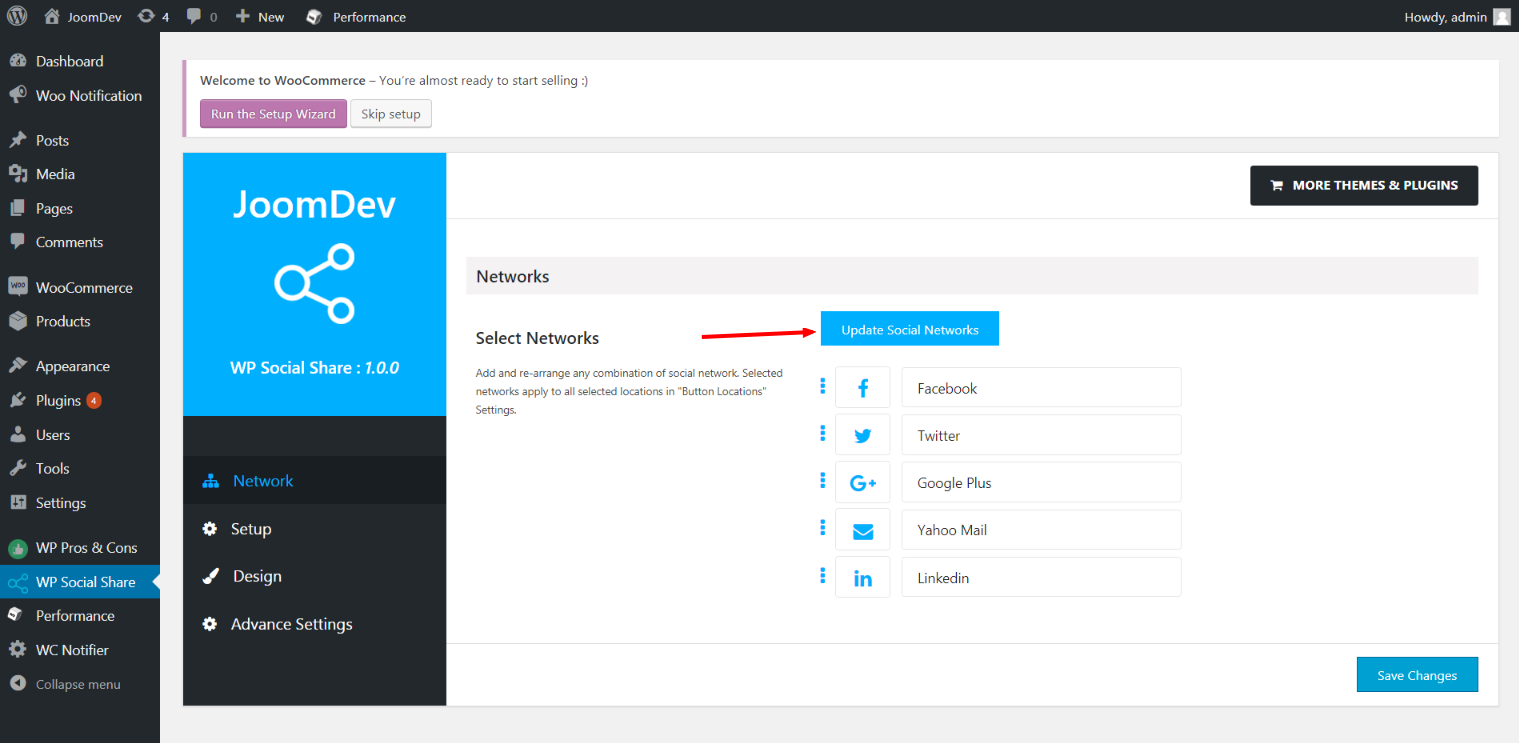
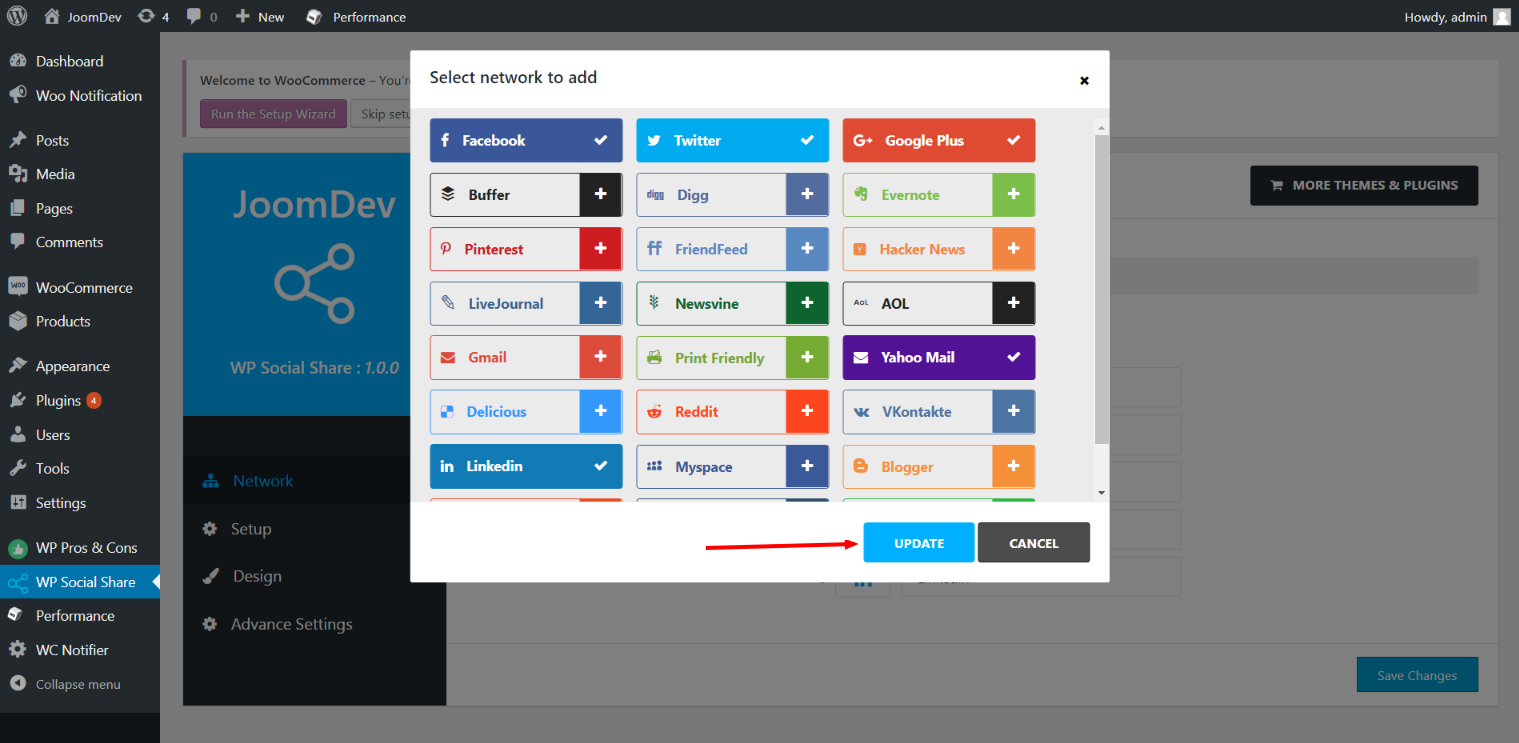
Click here to select networks
Update networks after selecting them.
Setup plugin and api settings.
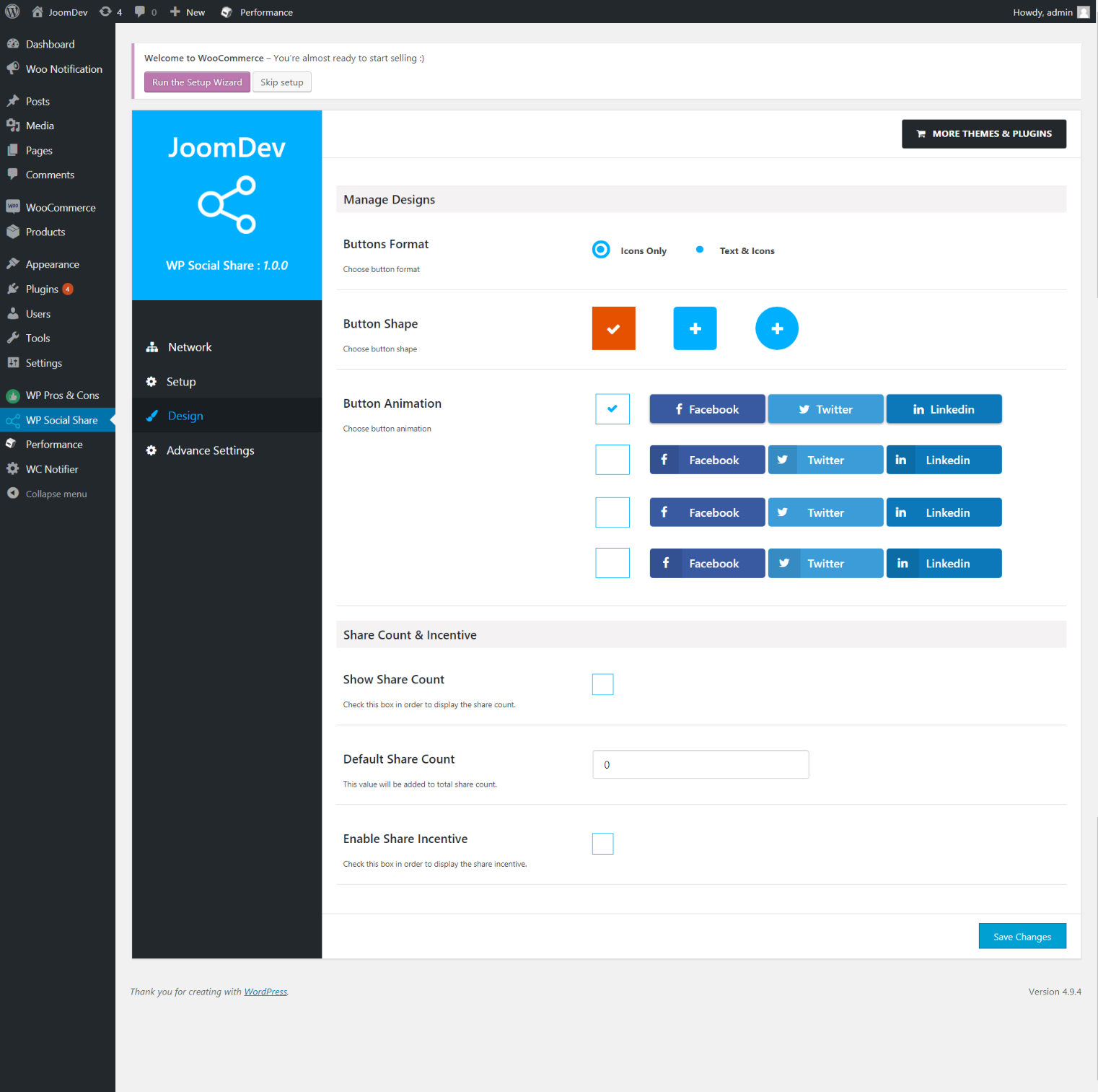
Select any design to display the buttons.
For mobile
For mobile

Instalacija

Way 1: 1. Upload joomdev-wp-social-share.zip to the /wp-content/plugins/ directory 2. Extract the zip file. 3. Activate the plugin from wordpress plugins page. And you have done.

Way 2: 1. Go to plugins page in admin. 2. Click on Add New button. 3. Search for “WP ShareX”. 4. Click install on WP Social Share. 5. Activate the plugin.

ČPP

Installation Instructions

Way 1:
1. Upload joomdev-wp-social-share.zip to the /wp-content/plugins/ directory
2. Extract the zip file.
3. Activate the plugin from wordpress plugins page. And you have done.

Way 2:
1. Go to plugins page in admin.
2. Click on Add New button.
3. Search for “WP ShareX”.
4. Click install on WP Social Share.
5. Activate the plugin.

How do I use this plugin?

See description.

Recenzije

Excellent!

Arnab Mohapatra 16. ožujka 2018. 1 odgovor
Incredible plugin. It allows to add any sharing button on the page simply and fast!
Pročitajte 1 recenziju

Suradnici i Programeri

“WP ShareX” je softver otvorenog koda. Sljedeće osobe su doprinijele ovom dodatku.

Suradnici
  • joomdev

Prevedite “WP ShareX” na svoj jezik.

Zainteresirani ste za razvoj?

Pregledajte kôd, pogledajte SVN spremišteili se pretplatite na dnevnik razvoja od RSS.

Dnevnik promjena

1.0.0

  • New Plugin initialized.

Meta

  • Version 1.0.0
  • Zadnje ažuriranje prije 8 godina
  • Aktivnih instalacija 10+
  • WordPress inačica 3.0 ili viša
  • Testirano do 4.9.31
  • Language
    English (US)
  • Oznake
    sharesocialsocial share
  • Napredni pogled

Ocjena

5 out of 5 stars.
  • 1 5-star review 5 stars 1
  • 0 4-star reviews 4 stars 0
  • 0 3-star reviews 3 stars 0
  • 0 2-star reviews 2 stars 0
  • 0 1-star reviews 1 star 0

Your review

See all reviews

Suradnici

  • joomdev

Podrška

Želite nešto reći? Potrebna vam je pomoć?

Pregledaj forum za podršku

Doniraj

Želite li podržati napredak ovog dodatka?

Donirajte ovom dodatku

  • About
  • News
  • Hosting
  • Privacy
  • Showcase
  • Themes
  • Plugins
  • Patterns
  • Learn
  • Support
  • Developers
  • WordPress.tv ↗
  • Uključite se
  • Events
  • Donate ↗
  • Swag ↗
  • WordPress.com ↗
  • Matt ↗
  • bbPress ↗
  • BuddyPress ↗
WordPress.org
WordPress.org

Hrvatski

  • Visit our X (formerly Twitter) account
  • Visit our Bluesky account
  • Visit our Mastodon account
  • Visit our Threads account
  • Visit our Facebook page
  • Visit our Instagram account
  • Visit our LinkedIn account
  • Visit our TikTok account
  • Visit our YouTube channel
  • Visit our Tumblr account
Kod je poezija.
The WordPress® trademark is the intellectual property of the WordPress Foundation.