

Opis
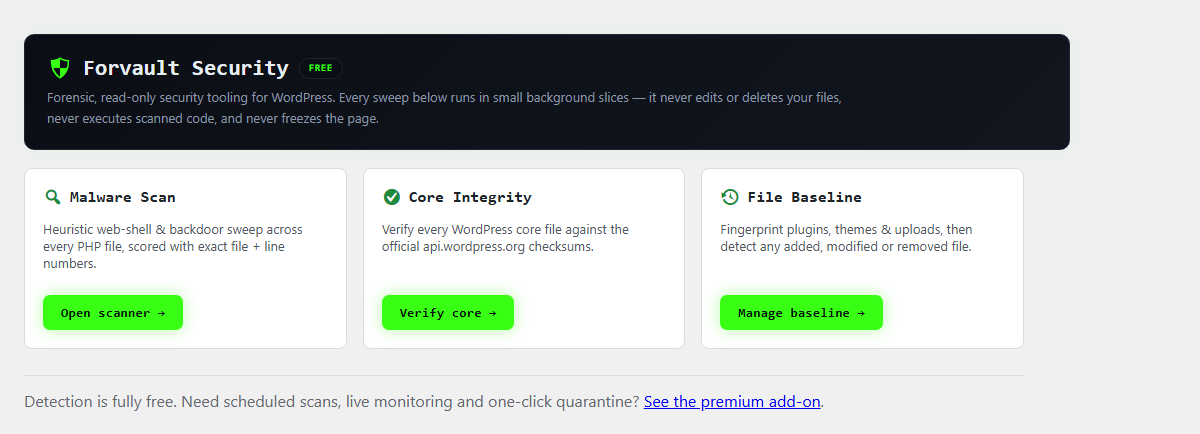
Forvault Security is a read-only, on-demand forensic scanner for WordPress. It is built for confirming whether a site is clean (or proving what changed after an incident) without touching your files. Every scan runs only when you click a button — there is no background processing on front-end page loads, no automatic file edits, and scanned code is never executed.
The plugin is fully functional on its own. There are no locked features and no trial timers.
What it does
-
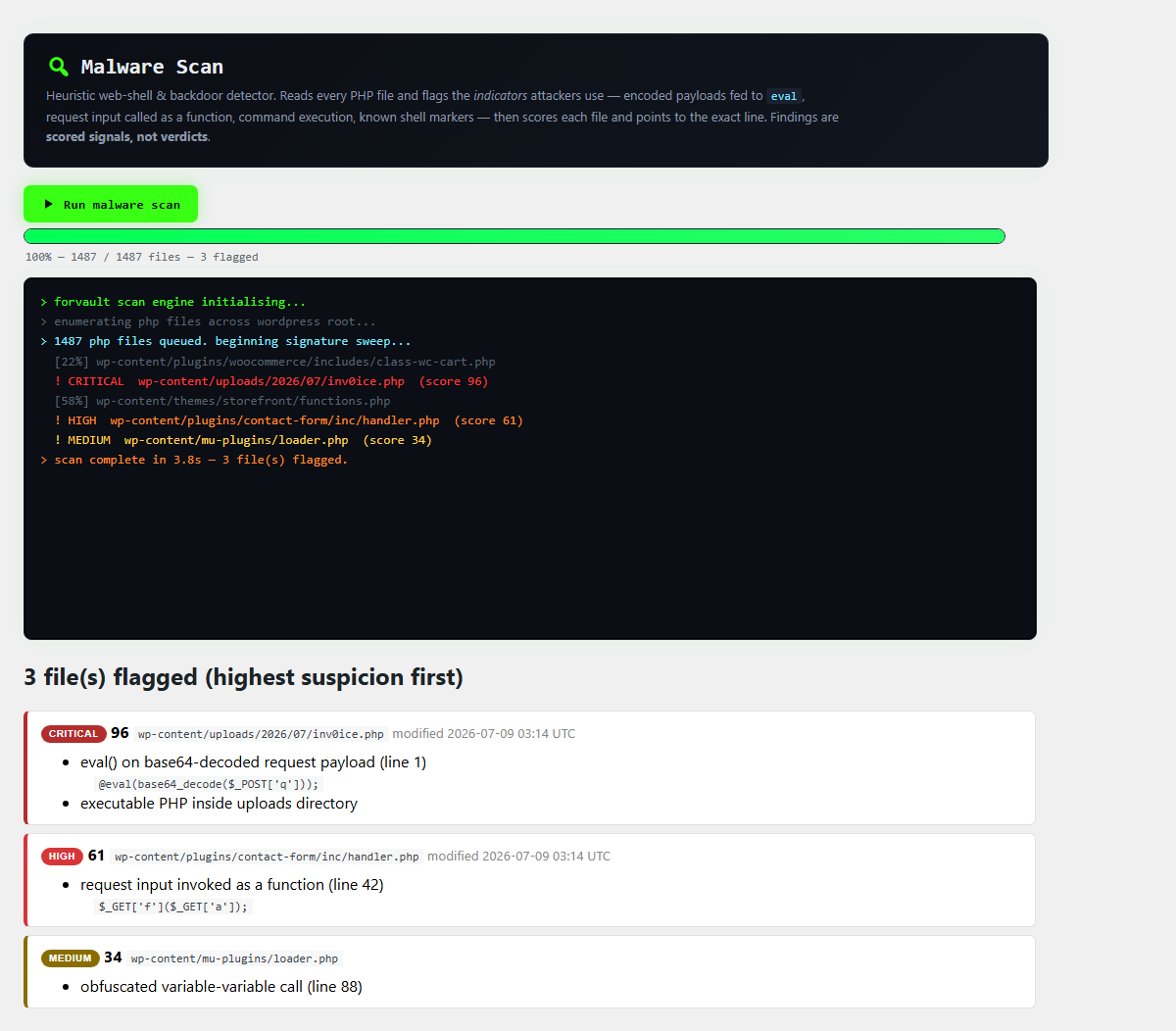
Malware Scan — Heuristically inspects every PHP file for web-shell and backdoor indicators: encoded payloads passed to
eval, request input invoked as a function or passed to an OS command, callbacks chosen by the request, function names hidden by string tricks, known shell-family marker strings, packed/obfuscated blobs, executable PHP insidewp-content/uploads/, and more. A lightweight data-flow check also follows request input through intermediate variables, so a shell split across several lines is still caught. No folder is a blind spot: libraries (vendor/), cache folders and test fixtures are scanned too, and simply need stronger evidence before they are reported. Each suspicious file is scored and reported with the exact path and line numbers. Comments and docblocks are stripped before matching, and strong vs. supporting signals are separated to reduce false positives. Findings are advisory heuristics — review each flagged file, and use Ignore this file for the ones you have checked (an ignored file is reported again the moment its content changes). -
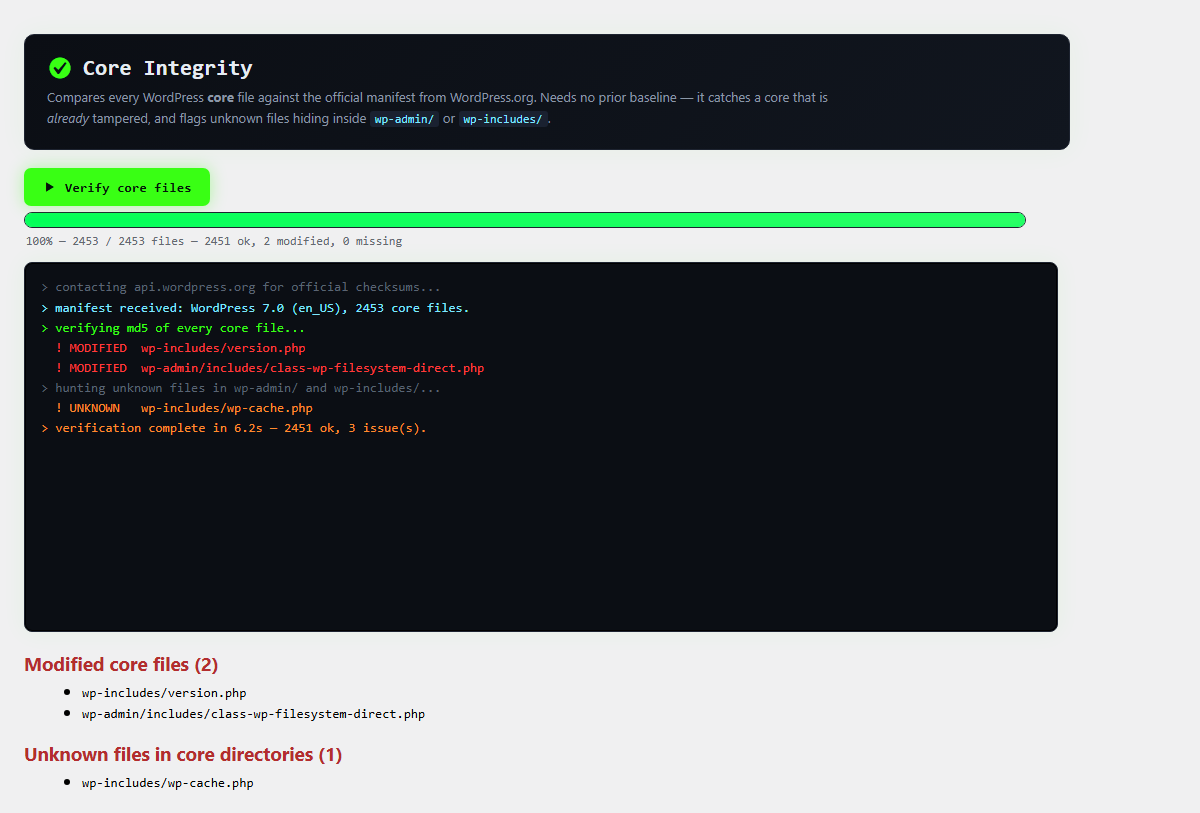
Core Integrity — Verifies every WordPress core file against the official checksum manifest for your exact version and locale (from api.wordpress.org). Reports modified core files, missing core files, unknown files hiding inside
wp-admin/orwp-includes/, and PHP files in the site root that are not part of WordPress (highlighting names that imitate a real core file). No prior snapshot is required, so it works even on an already-compromised site. -
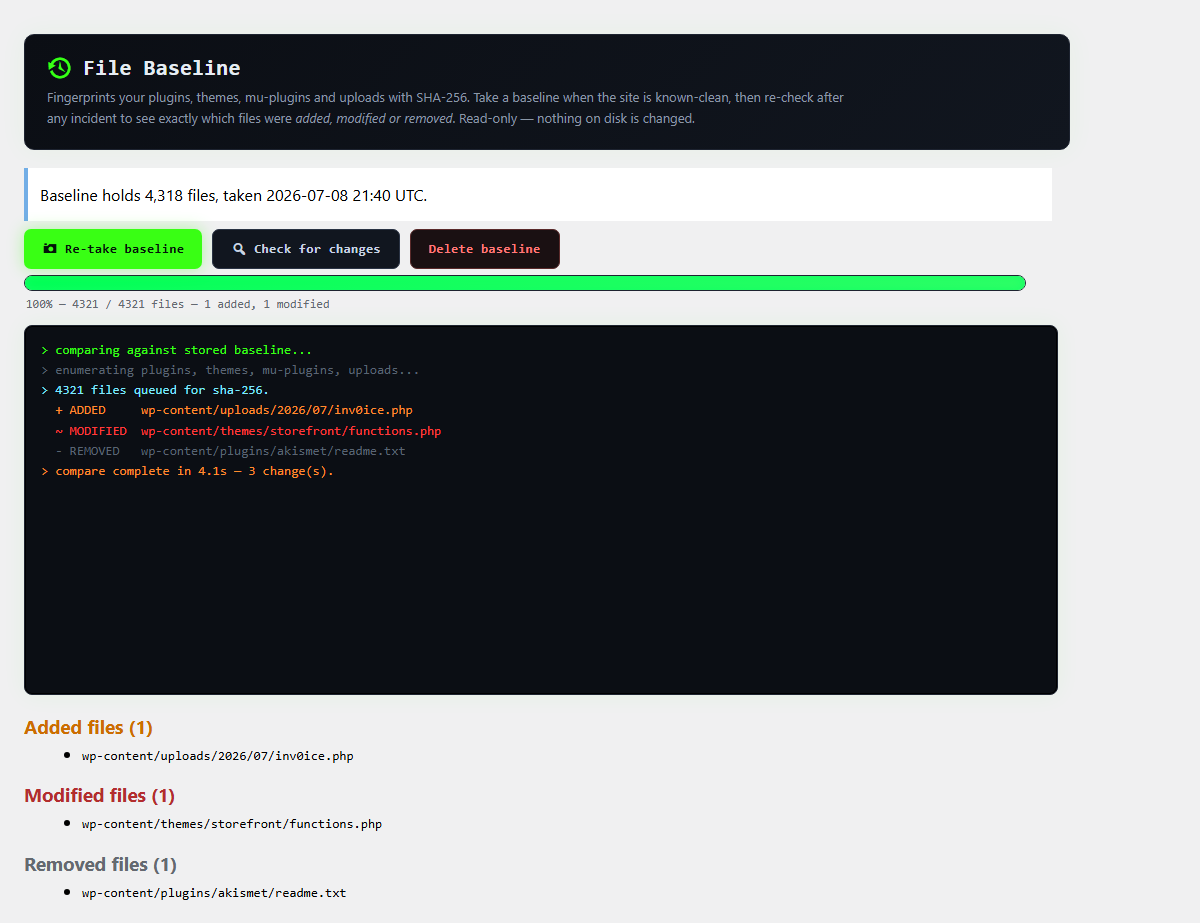
File Baseline — Fingerprints your plugins, themes, mu-plugins and uploads with SHA-256 and stores the inventory. Re-check at any time to see exactly which files were added, modified or removed since the snapshot. This covers the code that has no official manifest.
-
Results at a glance — The dashboard shows when each scanner last ran and what it found, and the Malware Scan page keeps the flagged files of the last completed scan.
Privacy
The plugin performs all scanning locally on your server. It does not collect analytics, does not phone home, and stores nothing about your site on any remote server. See External services below for the single, optional outbound request used by Core Integrity.
Premium add-on
An optional premium add-on (a separate plugin, distributed and licensed at storearmory.com, not hosted on WordPress.org) adds response and monitoring features such as scheduled scans, real-time file-change watching, reversible quarantine, outbound-connection auditing and forensic evidence bundles. The free plugin does not require it and is not time-limited.
External services
This plugin connects to one external service, and only when you explicitly click Verify core files on the Core Integrity screen:
- WordPress.org Checksum API (
https://api.wordpress.org/core/checksums/1.0/)- What it is used for: to download the official MD5 checksum manifest for your installed WordPress version, so core files can be compared against the known-good originals.
- What data is sent: only your WordPress version number and site locale (as URL query parameters). No personal data, site content, file contents or identifiers are transmitted.
- When: only on demand, when you run a core verification. It is never contacted automatically.
- WordPress.org terms: https://wordpress.org/about/privacy/ — Privacy policy: https://wordpress.org/about/privacy/
No other external services are contacted. The optional premium add-on (a separate plugin) is what communicates with storearmory.com for licensing; this free plugin does not.
Snimke zaslona
Instalacija
- Upload the
forvault-securityfolder to/wp-content/plugins/, or install it from the Plugins screen in your WordPress dashboard. - Activate the plugin through the Plugins menu in WordPress.
- Open Forvault Security in the admin sidebar.
- Run a Malware Scan and Core Integrity check, and take a File Baseline while the site is clean so you can detect future changes.
Pitanja i odgovori
-
Will this plugin modify or delete any of my files?
-
No. Every feature is strictly read-only. The scanner reads file contents to analyze them but never edits, moves, deletes or executes them. The baseline only stores hashes.
-
Are the malware findings definitive?
-
No. The Malware Scan uses scored heuristics, the same approach as tools like php-malware-finder or a YARA pass. A high score means a file deserves review, not that it is certainly malicious. Always inspect a flagged file before taking action.
-
Does it run scans automatically in the background?
-
No. The free plugin only scans when you click a button, and it does no work on public page loads. Scheduled/automatic scanning is offered by the separate premium add-on.
-
What WordPress versions can Core Integrity verify?
-
Any version published on WordPress.org. The check downloads the official manifest for your exact version and locale at the moment you run it.
-
Does it work on multisite?
-
Yes. Because the scanners read files shared by the whole network, on a multisite installation they are available to network administrators (super admins) only.
-
A legitimate file is flagged. What can I do?
-
Review it, then click Ignore this file. The file is skipped in future scans only while it stays byte-for-byte identical; if it is ever modified it is reported again. You can stop ignoring a file at any time from the Malware Scan page.
-
No. All three scanners are complete and free. The premium add-on is optional and adds response/monitoring tooling.
Recenzije
Nema recenzija za ovaj dodatak.
Suradnici i Programeri
“Forvault Security” je softver otvorenog koda. Sljedeće osobe su doprinijele ovom dodatku.
Suradnici
Prevedite “Forvault Security” na svoj jezik.
Zainteresirani ste za razvoj?
Pregledajte kôd, pogledajte SVN spremišteili se pretplatite na dnevnik razvoja od RSS.
Dnevnik promjena
1.1.0
- Malware Scan: no more blind folders.
vendor/,node_modules/, cache and test folders are now scanned (with a higher reporting threshold), and only the plugin’s own shipped files are excluded instead of its whole folder. - Malware Scan: new detections — request input passed to OS command functions, raw request body evaluated, direct include of request input, callbacks chosen by the request, function names hidden by concatenation / reversal / hex escapes, non-alphanumeric shells, uploaders that keep the client file name, and a data-flow check that follows request input through intermediate variables.
- Malware Scan: fewer false positives — passing request data through a fixed sanitising callback (
array_map( 'sanitize_text_field', ... )) is no longer flagged; generic marker words were tightened. - Malware Scan: files larger than the read limit also have their end inspected, so a payload cannot hide behind padding.
- Malware Scan: new Ignore this file action for reviewed files (bound to the file hash), and an ignore list you can manage.
- Core Integrity: reports PHP files in the site root that are not WordPress core files, flagging look-alike names.
- Core Integrity: an interrupted check is now clearly reported as incomplete instead of looking clean.
- File Baseline: PHP and
.htaccessfiles are fingerprinted in every folder, including cache folders and the plugin’s own folder. Baselines taken with 1.0.0 keep working; re-take one to cover the wider scope. - Dashboard shows the date and outcome of the last run of each scanner; the last malware scan result is kept.
- Large sites: scan work lists and the baseline are stored in small parts instead of one large database row.
- Multisite: the scanners are restricted to network administrators.
- Stop button added to Core Integrity and File Baseline; all interface text is now translatable.
1.0.0
- Initial release: Malware Scan (heuristic web-shell detection), Core Integrity (official checksum verification) and File Baseline (SHA-256 change detection).