

Opis
PCIO VIS Gallery is an extension for the PCIO VIS Member Event plugin. It adds event-linked photo galleries. Galleries store images as standard WordPress Media Library attachments and can be embedded with the [pcio_me_gallery id="N"] shortcode or browsed at /vis/galleries/.
This plugin requires the PCIO VIS Member Event core plugin to be installed and active.
Snimke zaslona
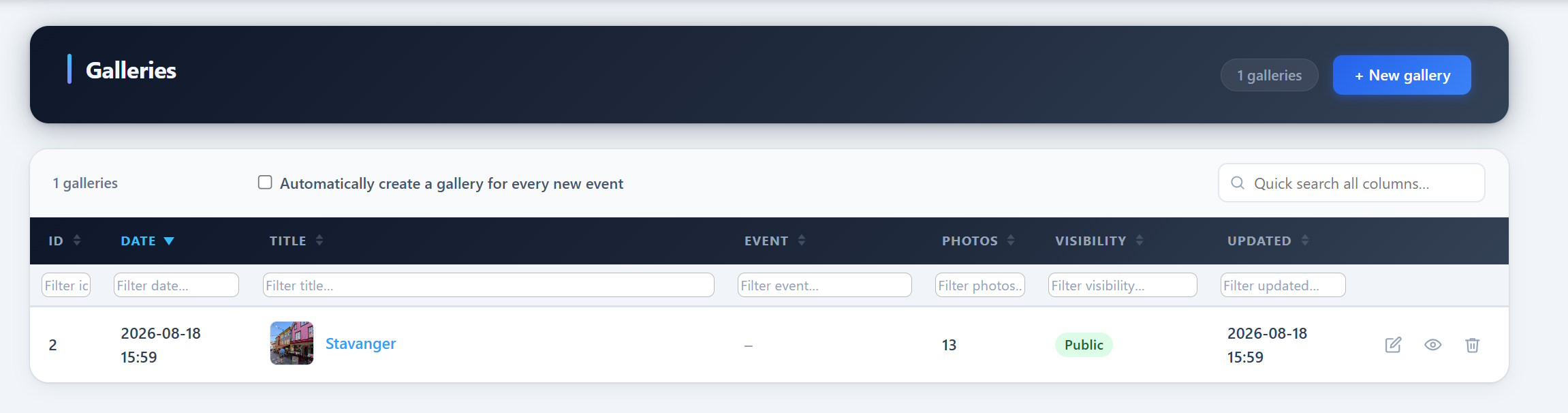
Instalacija
- Install and activate the PCIO VIS Member Event core plugin first.
- Upload the
pcio-vis-gallerydirectory to/wp-content/plugins/. - Activate the plugin in Plugins in the WordPress admin.
- Create galleries under the Vis admin menu and embed them with
[pcio_me_gallery id="N"].
Pitanja i odgovori
-
Where are the images stored?
-
As standard WordPress Media Library attachments.
-
How do I show a gallery on a page?
-
Use the
[pcio_me_gallery id="N"]shortcode, or browse all galleries at/vis/galleries/.
Recenzije
Nema recenzija za ovaj dodatak.
Suradnici i Programeri
“PCIO VIS Gallery” je softver otvorenog koda. Sljedeće osobe su doprinijele ovom dodatku.
Suradnici
“PCIO VIS Gallery” je preveden na 1 jezik. Zahvala prevoditeljima za njihov doprinos.
Prevedite “PCIO VIS Gallery” na svoj jezik.
Zainteresirani ste za razvoj?
Pregledajte kôd, pogledajte SVN spremišteili se pretplatite na dnevnik razvoja od RSS.
Dnevnik promjena
1.1.0
- Added: Change history with undo — all writes to Vis tables are logged in the new
me_change_historytable, with undo data inme_change_undo. A new Vis History admin page lists every change with filters and an Undo button, guarded by the newvis_undo_changescapability (granted to System Admin).
1.0.0
- Gallery managers open the management page from the Vis navigation; a View galleries button opens the gallery listing. View-only users retain direct access to the listing.
- Initial release.