Opis
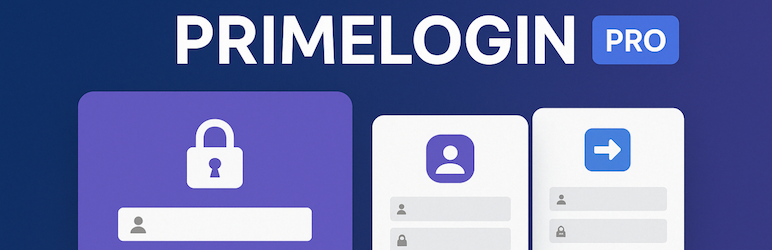
Customize your WordPress login with custom logo, background, colors & split-screen layouts. Fully responsive, secure & code-free. Free version.
Template 1: Modern, minimalist design.
Template 2: Exclusive split-screen layout (60% image, 40% form) that reinforces your branding and boosts conversions.
Features
- Intuitive admin panel to adjust logo, background, colors, spacing, and button and link texts.
- Responsive layouts optimized for any device.
- Secure, code-free customization—no coding skills required.
- Elevate your site’s branding and conversion with a unique, impactful login experience!
Snimke zaslona

Free Login Screen: Preview the modern, minimalist design of the free version. 
Split-Screen Login: Showcase the exclusive split layout with personalized image and optimized form. 
Admin Panel: Access the admin panel to customize the login page with logos, backgrounds, colors, texts e etc…
Instalacija
- Upload the “primelogin-pro” folder to the /wp-content/plugins/ directory of your WordPress installation.
- Activate the plugin through the “Plugins” menu in WordPress.
- Go to “PrimeLogin” in the admin menu to configure settings.
ČPP
-
What is PrimeLogin Pro?
-
PrimeLogin Pro is a WordPress plugin that lets you completely customize your login page with modern designs and advanced features.
-
Can I customize all elements of the login page?
-
Yes—both free templates support customization of logos, backgrounds, colors, typography, spacing, and texts.
-
Where can I get support?
-
Visit the “Support” tab in the plugin menu to access our documentation and contact our team.
Recenzije
Nema recenzija za ovaj dodatak.
Suradnici i Programeri
“PrimeLogin Pro | Login Page Customizer” je softver otvorenog koda. Sljedeće osobe su doprinijele ovom dodatku.
Suradnici
Prevedite “PrimeLogin Pro | Login Page Customizer” na svoj jezik.
Zainteresirani ste za razvoj?
Pregledajte kôd, pogledajte SVN spremišteili se pretplatite na dnevnik razvoja od RSS.
Dnevnik promjena
1.0.3
- Was blocking access to /wp-admin even without having a custom url defined and minor adjustments.
1.0.2
- Bug fixes in redirects and other minor improvements.
1.0.1
- Improved compatibility with WordPress 6.8.
1.0.0
- Initial release of PrimeLogin Pro.