

Opis
VertiFeed adds two Gutenberg blocks for creating vertical swipe video galleries on your WordPress site.
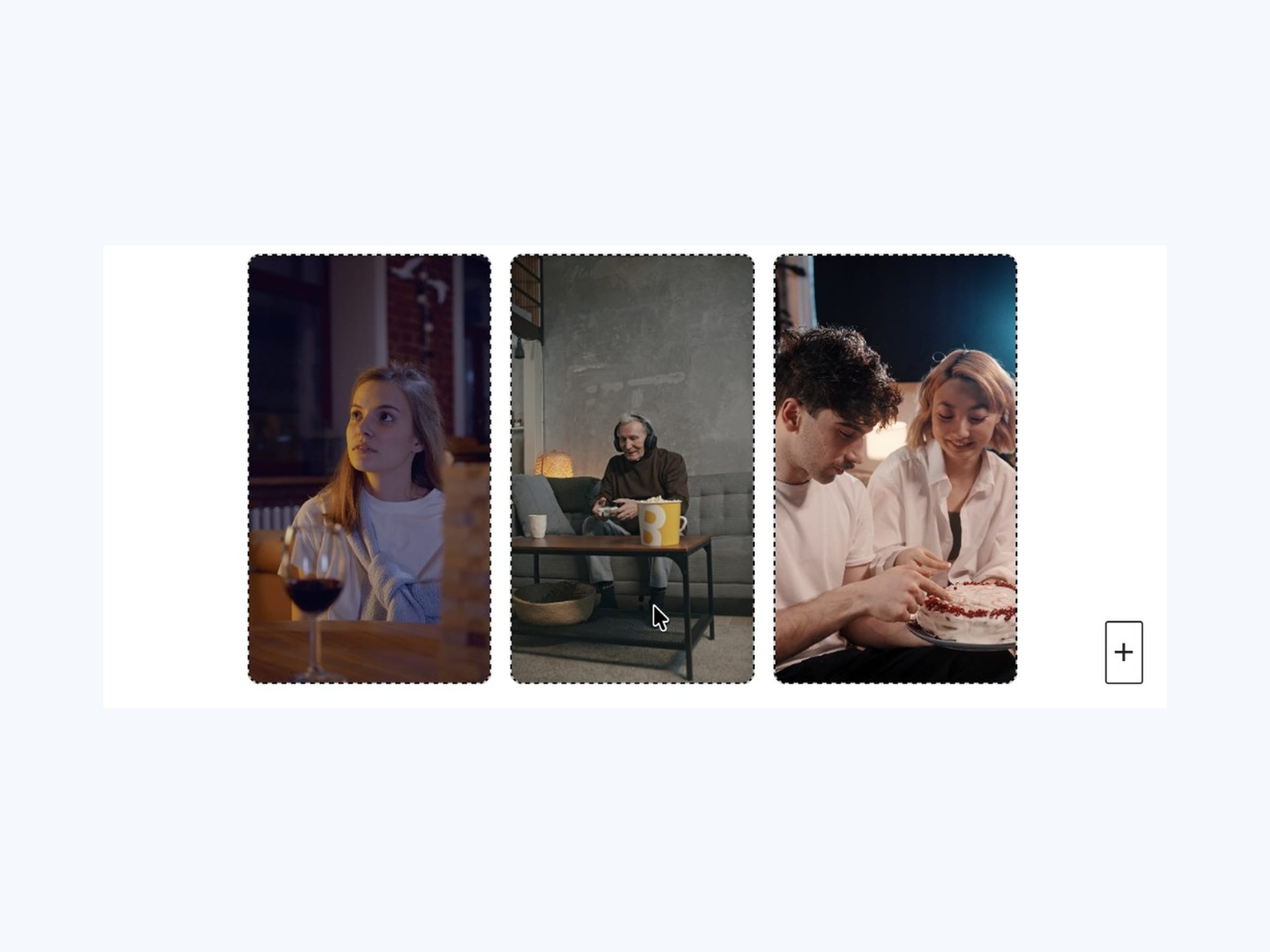
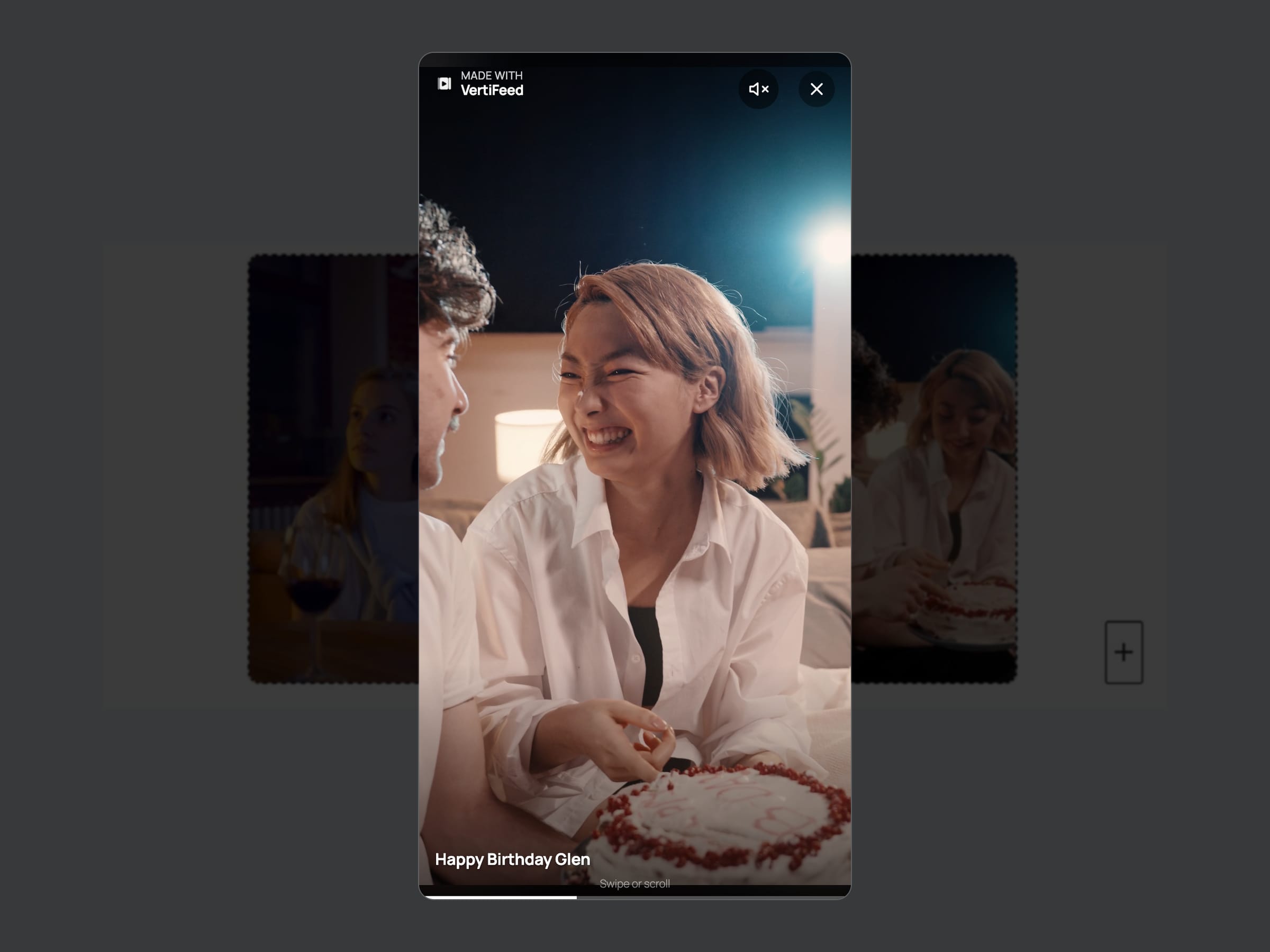
VertiFeed Gallery — A container block that displays videos as a responsive gallery grid of poster thumbnails. Clicking a thumbnail opens a fullscreen overlay with a vertical swipe video player.
VertiFeed Video — A child block for adding individual videos from the Media Library.
Features
- Responsive gallery grid of poster thumbnails (no autoplay on the page)
- Fullscreen overlay player opens on click, starting at the chosen video
- Vertical swipe, scroll, and keyboard navigation; close with Esc or the X button
- Seekable progress bar; Space or K to play/pause
- Shareable deep links to a specific video
- Self-hosted videos from the WordPress Media Library
- Muted autoplay inside the overlay with tap-to-play/pause
- Optional title and description overlay per video
- Configurable columns, gap, aspect ratio, loop, progress bar, and mute toggle
- Built with the WordPress Interactivity API and block.json
Development
Source code and build tools are in the public repository:
https://github.com/loopcreators/vertifeed
This plugin is built with @wordpress/scripts. To regenerate the compiled files in build/:
- Install dependencies:
yarn install - Build assets:
yarn run build
Snimke zaslona
Blokovi
Ovaj dodatak omogućava 2 bloka.
- VertiFeed Gallery Display videos as a gallery grid; open a fullscreen vertical swipe player on click.
- VertiFeed Video A single video from the Media Library.
Instalacija
- Upload the
vertifeedfolder to/wp-content/plugins/ - Activate the plugin through the ‘Plugins’ menu in WordPress
- Insert a VertiFeed Gallery block in the block editor
- Add VertiFeed Video blocks inside and select videos from the Media Library
Pitanja i odgovori
-
What video formats are supported?
-
Any format supported by the WordPress Media Library and the visitor’s browser (typically MP4 and WebM).
-
Can I use YouTube or Vimeo videos?
-
Not in v1. VertiFeed currently supports self-hosted Media Library videos only.
-
How do I link to a specific video?
-
Opening a video updates the page URL to a hash like
#vf-a1b2c3d4-1(the number is 1-based). Share that URL to open the same gallery at that video.
Recenzije
Nema recenzija za ovaj dodatak.
Suradnici i Programeri
“VertiFeed – Vertical Media Gallery” je softver otvorenog koda. Sljedeće osobe su doprinijele ovom dodatku.
Suradnici
Prevedite “VertiFeed – Vertical Media Gallery” na svoj jezik.
Zainteresirani ste za razvoj?
Pregledajte kôd, pogledajte SVN spremišteili se pretplatite na dnevnik razvoja od RSS.
Dnevnik promjena
1.1.0
- Lazy-load overlay videos so only the active video and its neighbors fetch.
- Seekable progress bar; Space and K play/pause.
- Shareable hash deep links to a specific video.
1.0.2
- Confirmed compatibility with WordPress 7.1.
1.0.1
- Updated VertiFeed branding across plugin assets, block icons, and overlay mark.
- Renamed plugin display name to VertiFeed – Vertical Media Gallery.
1.0.0
- Initial release.
- Gallery grid of poster thumbnails with fullscreen overlay player.
- Video child block for Media Library videos.
- Columns, gap, tile aspect ratio, and player controls.
- Multi-select videos from the Media Library.